Installing the 7360 I/O Box
To install the I/O Box, follow these steps:
1. Remove the existing 7350 components that need to be replaced. For more information, refer to Removing 7350 Components.
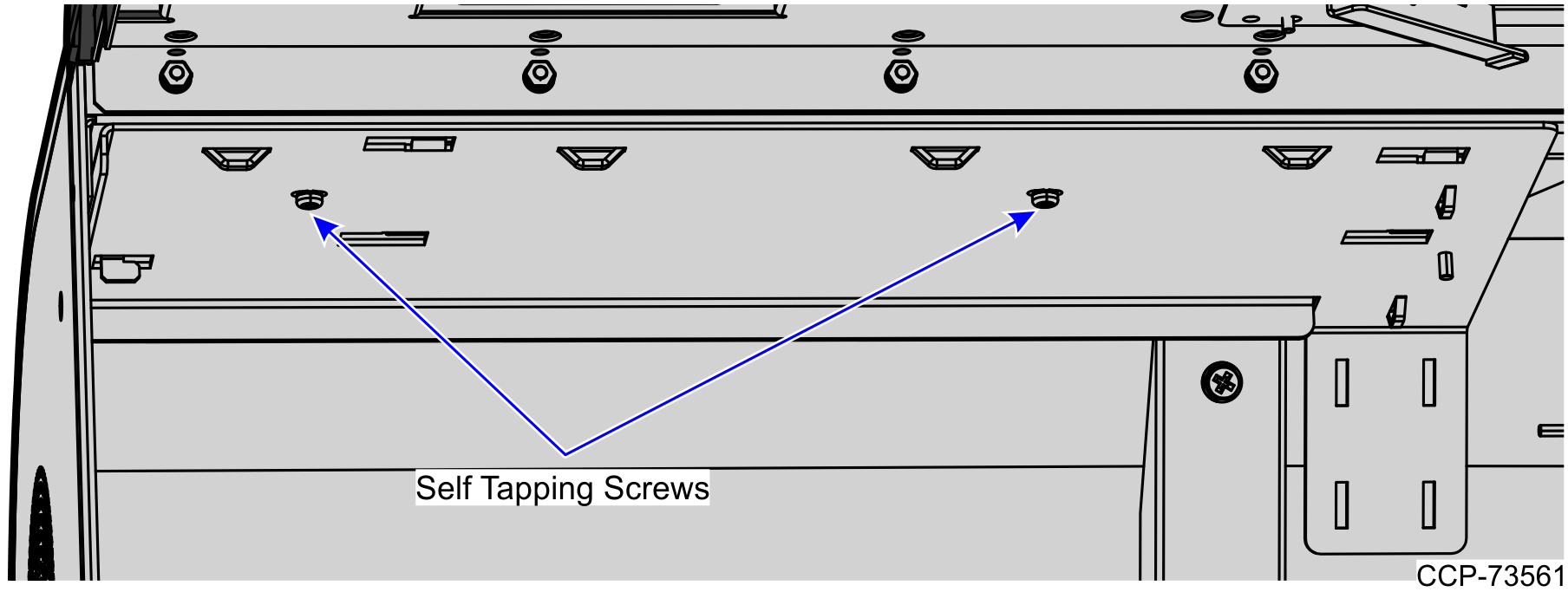
2.Slide the mounting plate to the left to engage the mounting hook on the cabinet frame and then secure using two screws, as shown in the image below.
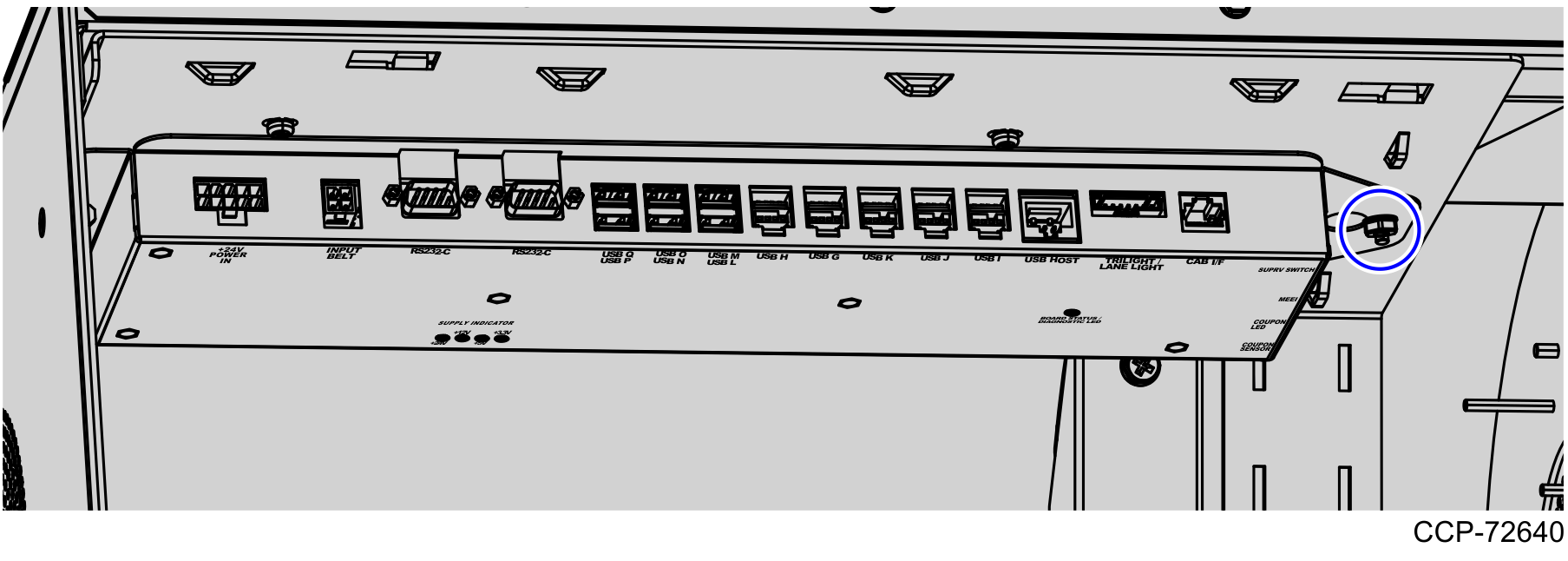
3.Attach the I/O Box to the I/O Box Mounting Plate by engaging it with the mounting hook on the mounting plate and securing with one nut, as shown in the image below.
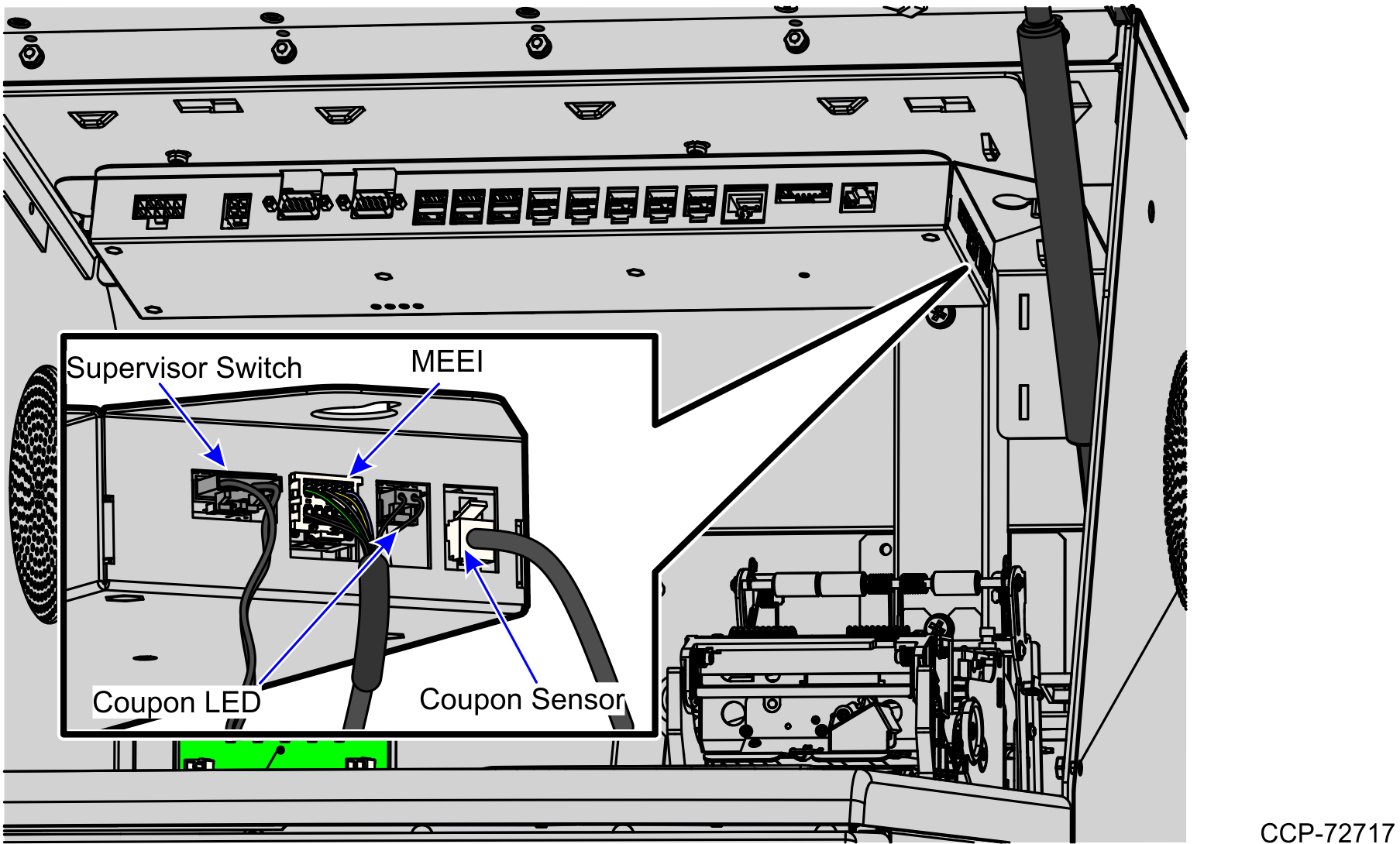
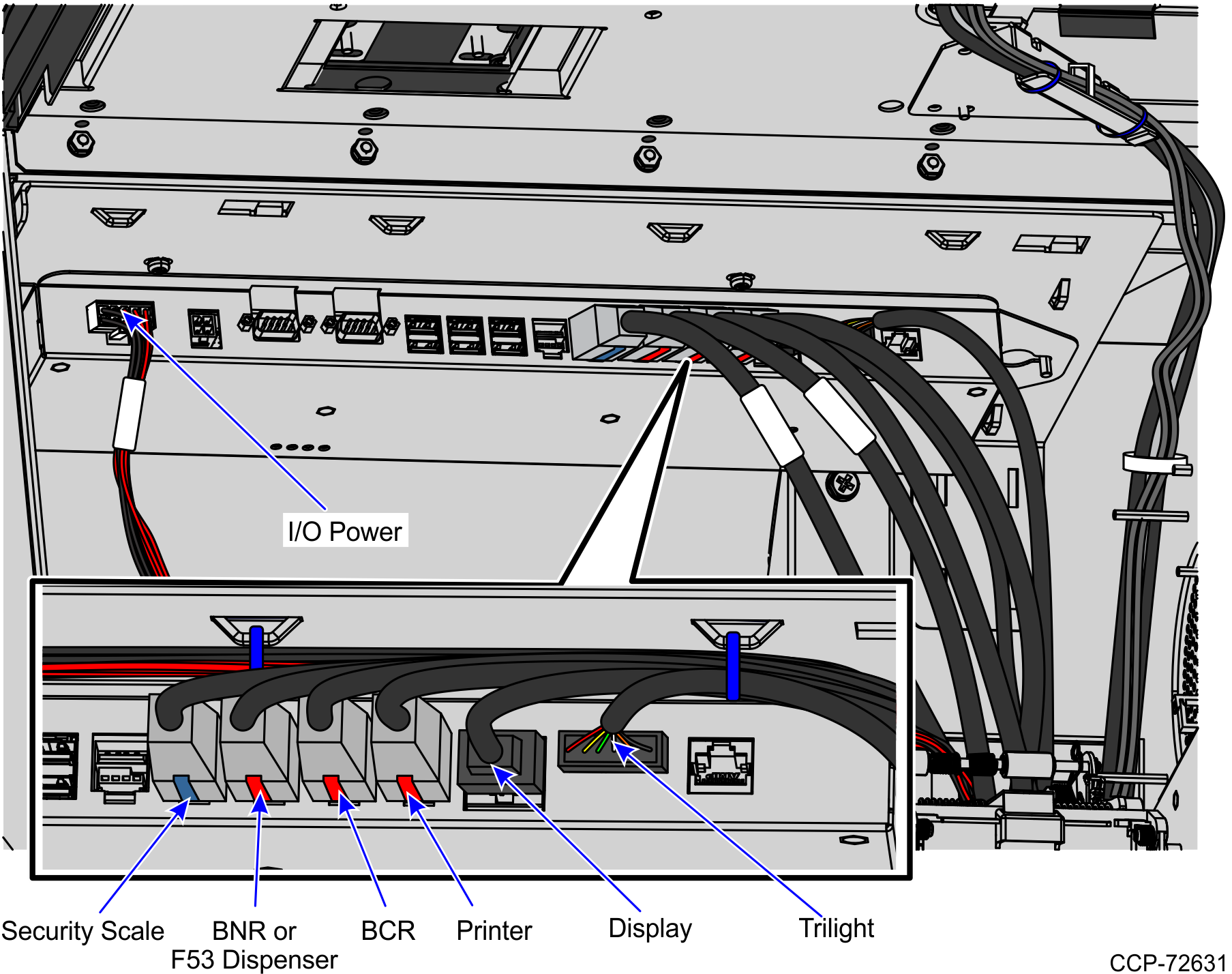
4.Connect the cables as shown in the images below.
Side Cables
Note: Use an Adapter Cable for the MEEI Controller Box cable before plugging in to the I/O Box. For more information, refer to the 7350-K970 R6L Upgrade, Full Size Core Kit instructions.
Front Cables
5.Do any of the following:
•Install other R6 Lite components. For more information, refer to Installing R6 Lite Components.
•Route the I/O Box cables. For more information, refer to Routing I/O Box Cables.
Note: For more information about routing cables, refer to the SCO Release 6 Lite Cable Routing Instructions (497-0519586).
