Installation Procedure
To install the Memory Module kit, follow these steps:
- Open the chassis. For more information, refer to Opening the Chassis.
- Use a pre‑moistened Deoxit wipe to clean both sides of the gold connectors on the Memory Module.Important
When cleaning the Memory Module, wipe the gold connectors in the direction away from the circuit components.
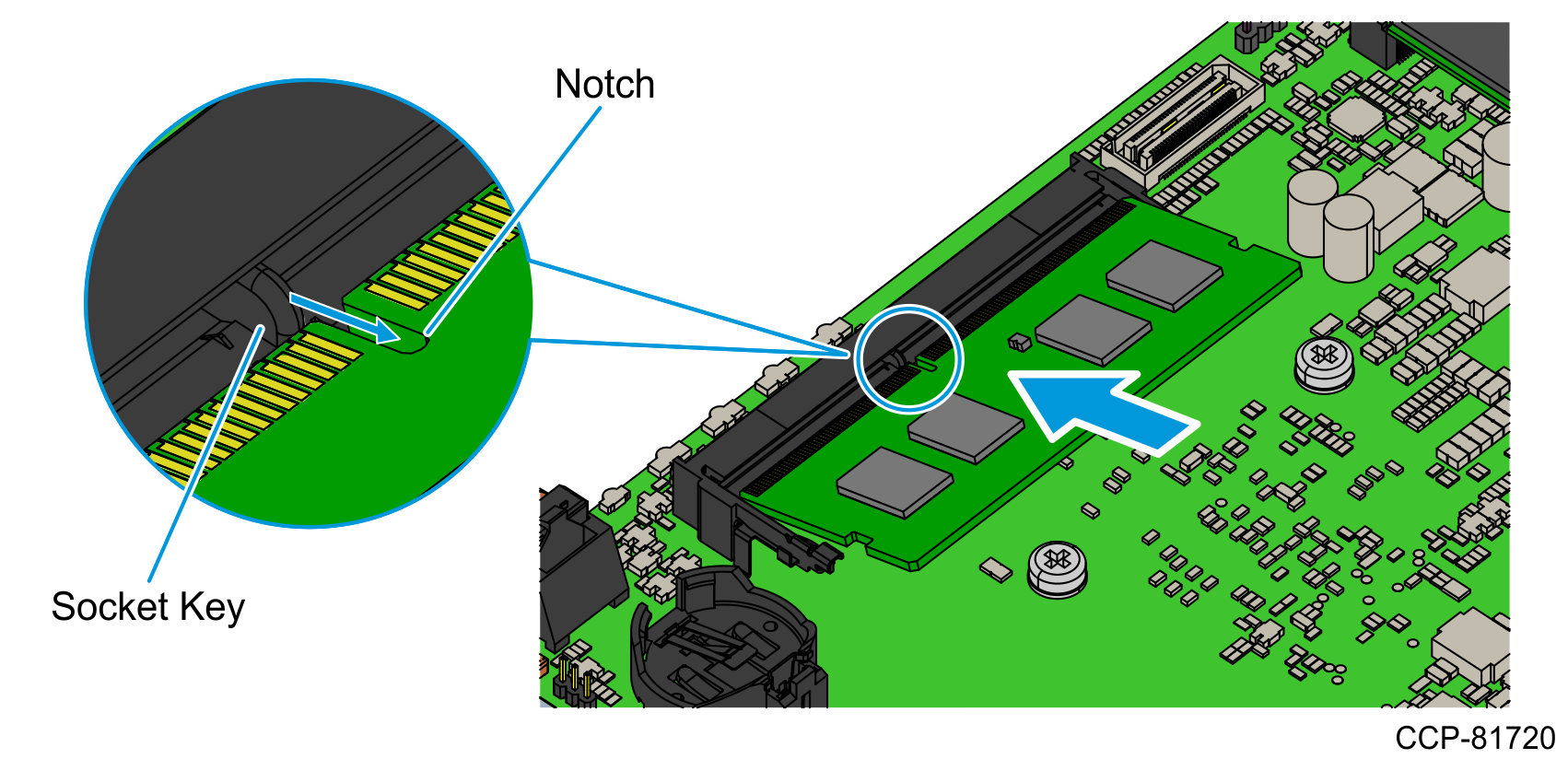
- Insert the Memory Module at an angle into the memory socket, aligning the notch on the Memory Module with the socket key.Caution
Do not touch the gold connectors or circuit components on the Memory Module.
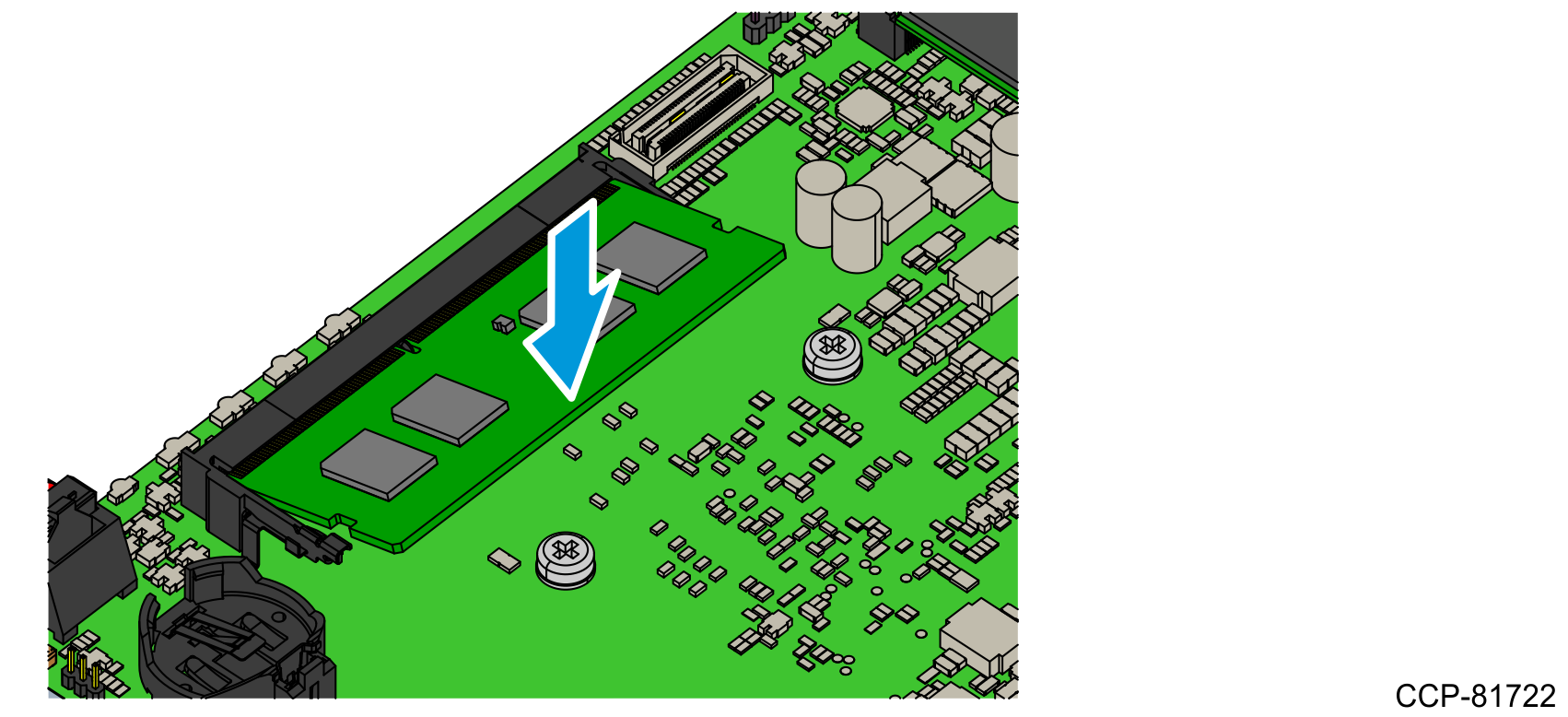
- Push down on the outer edge of the Memory Module until it snaps into place.
- Close the chassis. For more information, refer to Closing the Chassis.