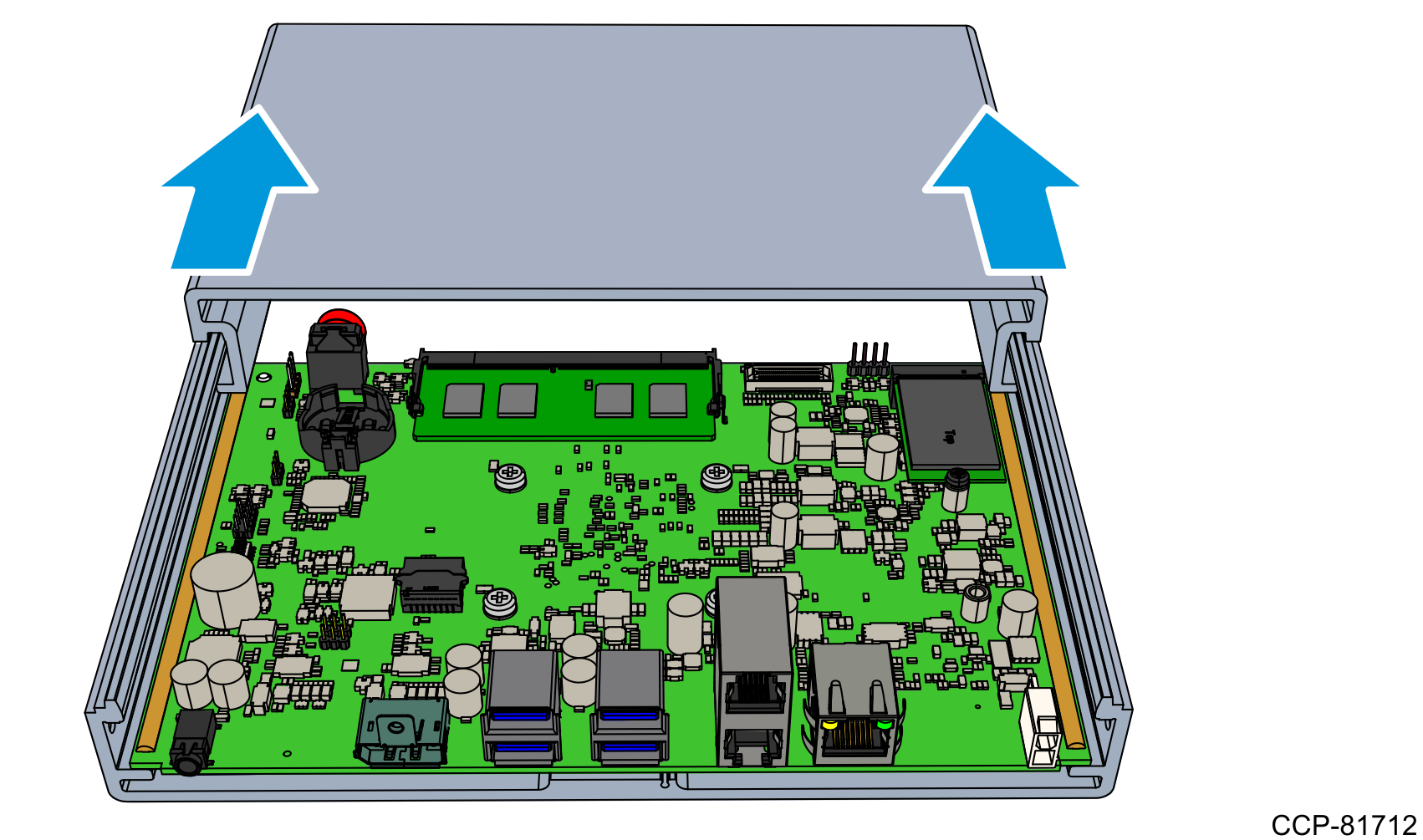
Opening the Chassis
- Place the unit upside down on a flat and smooth surface.
- Remove the Front Cover.
- Remove the two flat head screws that secure the Front Plate and the Plate Gasket to the unit.

- Gripping the gasket, remove both the Plate Gasket and the Front Plate from the unit.

- Remove the two flat head screws that secure the Front Plate and the Plate Gasket to the unit.
- Remove the Back Cover.
- Remove the screw that secure the Back Plate to the Display Port connector.
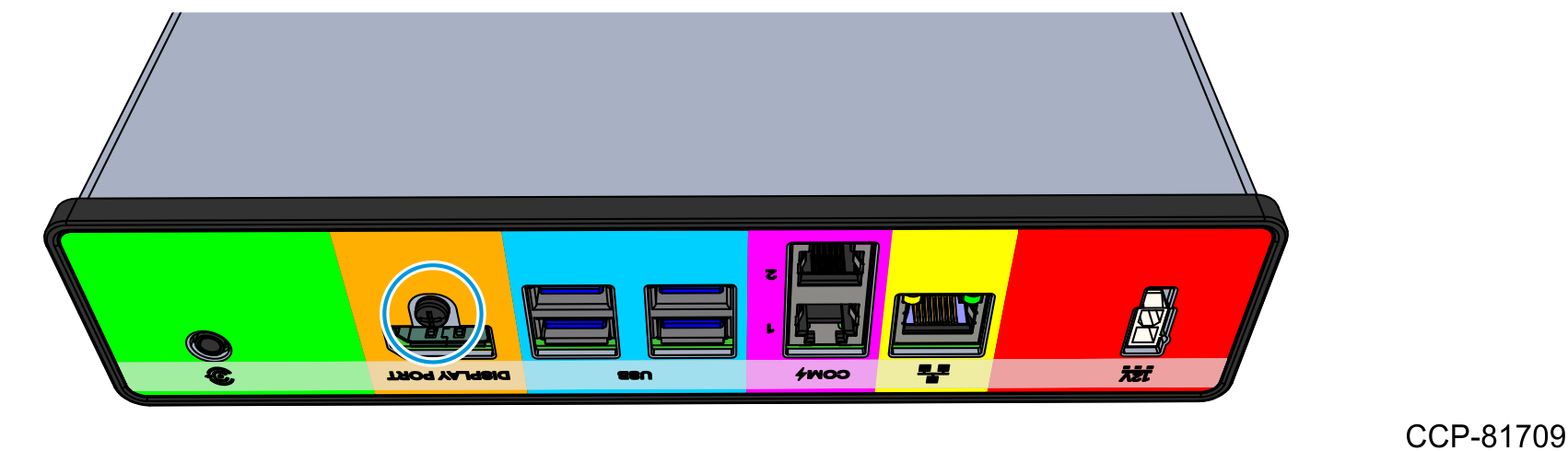
- Remove the two flat head screws that secure the Back Plate and the Plate Gasket to the unit.

- Gripping the gasket, remove both the Plate Gasket and the Back Plate from the unit.

- Remove the screw that secure the Back Plate to the Display Port connector.
- Slide the Top Extrusion out of the Bottom Extrusion.