Understanding Customer Information Screens
Customer information screens on the POS application and on the PIN pad are main features of the NCR Voyix Advanced Store system. Collecting customer information may be associated with a transaction or with an item, such as sales, returns, receipts, item services, checks, returns, and tax-exempt transactions. Different types of customer information can be associated with different transactions or items.
Most customer information screens on the POS application and PIN pad are created by default with specific fields and corresponding values. Depending on the retailer needs, these screens may be customized with new or additional fields that contain new or additional values. There are also specific features that may require the retailer to create a new customer information screen.
The following image is a sample customer information screen on the POS application.

Retailers can configure customer information screens using two parameter groups, referred to as Information Form Definitions and Information Field Definitions.
Information Form Definitions
Information Form Definitions is a multi-record option group. An information form, also called an information set, contains a group of fields that collect customer information as well as parameters that specify display options and input modes for the form. An information form matches one or more POS screens.
Using the WebOffice EOM application, information sets can be configured to collect different customer information for different transactions. Information sets that have already been created in the system include customer enrollment, member lookup, member update, media deposits, credit application, purchase orders, returns, and payments.
New information form records can be added depending on the retailer’s needs. The following image displays some of the default information sets that come with Advanced Store.
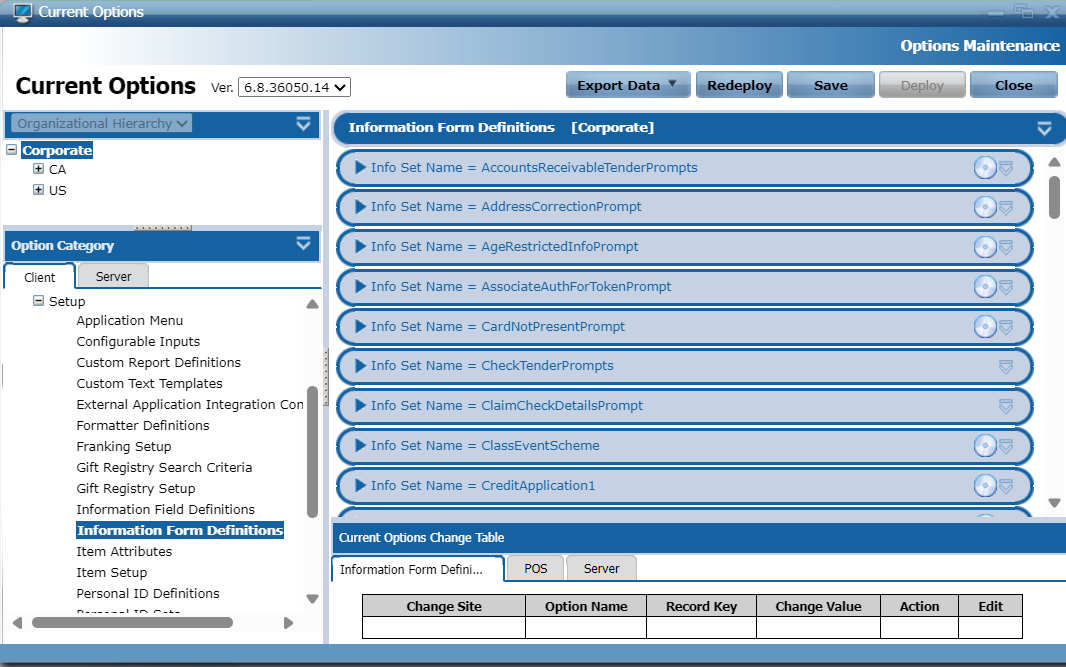
The following image displays Information Form Definitions records, identified by their Info Set Name.
The following list describes some of the information sets that exist in Advanced Store.
- AgeRestrictedInfoPrompt—captures the customer's birth date when an age-restricted item is sold. This information set corresponds to the Customer Birthdate POS screen.
- NonReceiptedReturnCustomerInfoPrompts—captures customer information for a non-receipted return. This information set corresponds to the No Receipt Customer Information POS screen.
- AccountsReceivableTenderPrompts—captures customer information, such as telephone number, when customers pay with a tender that is configured with the Accounts Receivable tender sub-type. This information set corresponds to customer information collection screens related to tendering with business invoices or purchase orders.
Information Field Definitions
Information Field Definitions is a multi-record option group that defines the input fields that are in the information forms. New information field records can be added depending on the retailer’s needs.
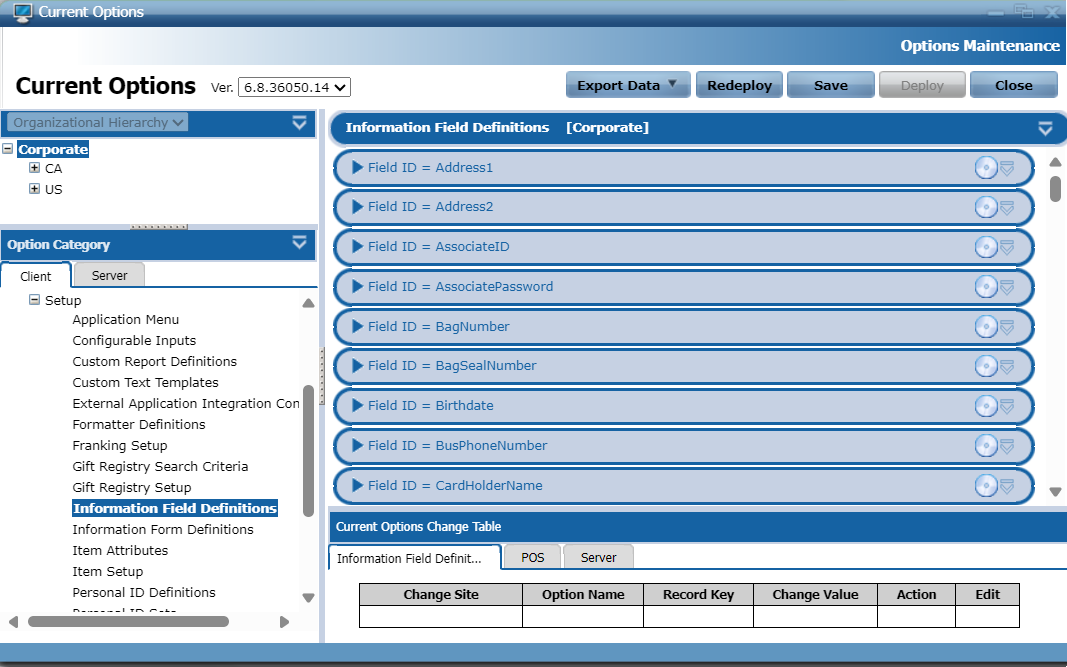
Each information field record corresponds to a field on a POS screen. Each field has a Field ID, which uniquely identifies the field to the system, and has Display Text, which is the field label that appears on the user interface. For example, the Field ID "BusPhoneNumber" has a Display Text value of "Business Phone Number," which is the field label on the POS application screen where the field appears.
The Information Field Definitions options specify required field attributes, including, data type, length, data validation, and masking information. The following image displays Information Field Definitions records, identified by their Field ID.
For more information about guidelines, tips, and best practices for configuring customer information screens, refer to Configuring Customer Information Screens.