Routing the PIN Pad Cable
To route the PIN Pad Cable into the 7372 SCO Tabletop unit, follow these steps:
Warning
To manage cable bundles properly, use zigzag bundling. Avoid looping the cables. For more information about routing cables, refer to the 7372 SCO Kiosk and 7372 SCO Tabletop Cable Routing Instructions (497-0536234).
- Route the cable along the wall of the Tower Cabinet and then secure the cable using cable ties.Warning
Do not overtighten the cable ties to avoid internal discontinuity and damages.
NoteKeep the PIN Pad Cable (and other communications cables) away from and not bundled with AC power cables and Electronic Article Surveillance (EAS) cables.
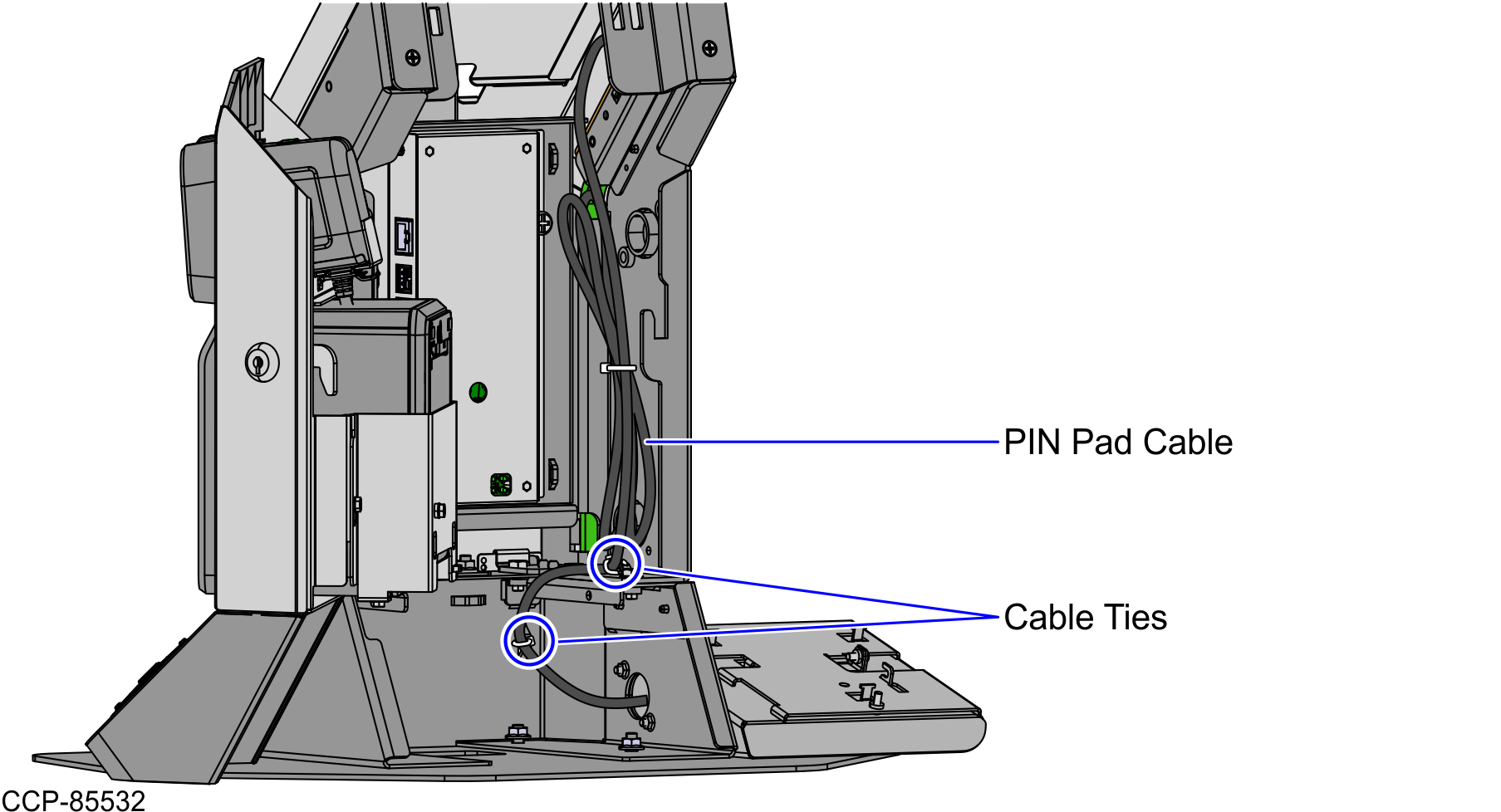
- Connect the PIN Pad cable to the Retail I/O Box (12V Powered USB Port E).

- Route the other end of the PIN Pad cable through the exit hole of PIN Pad Base Mount, as shown in the image below.
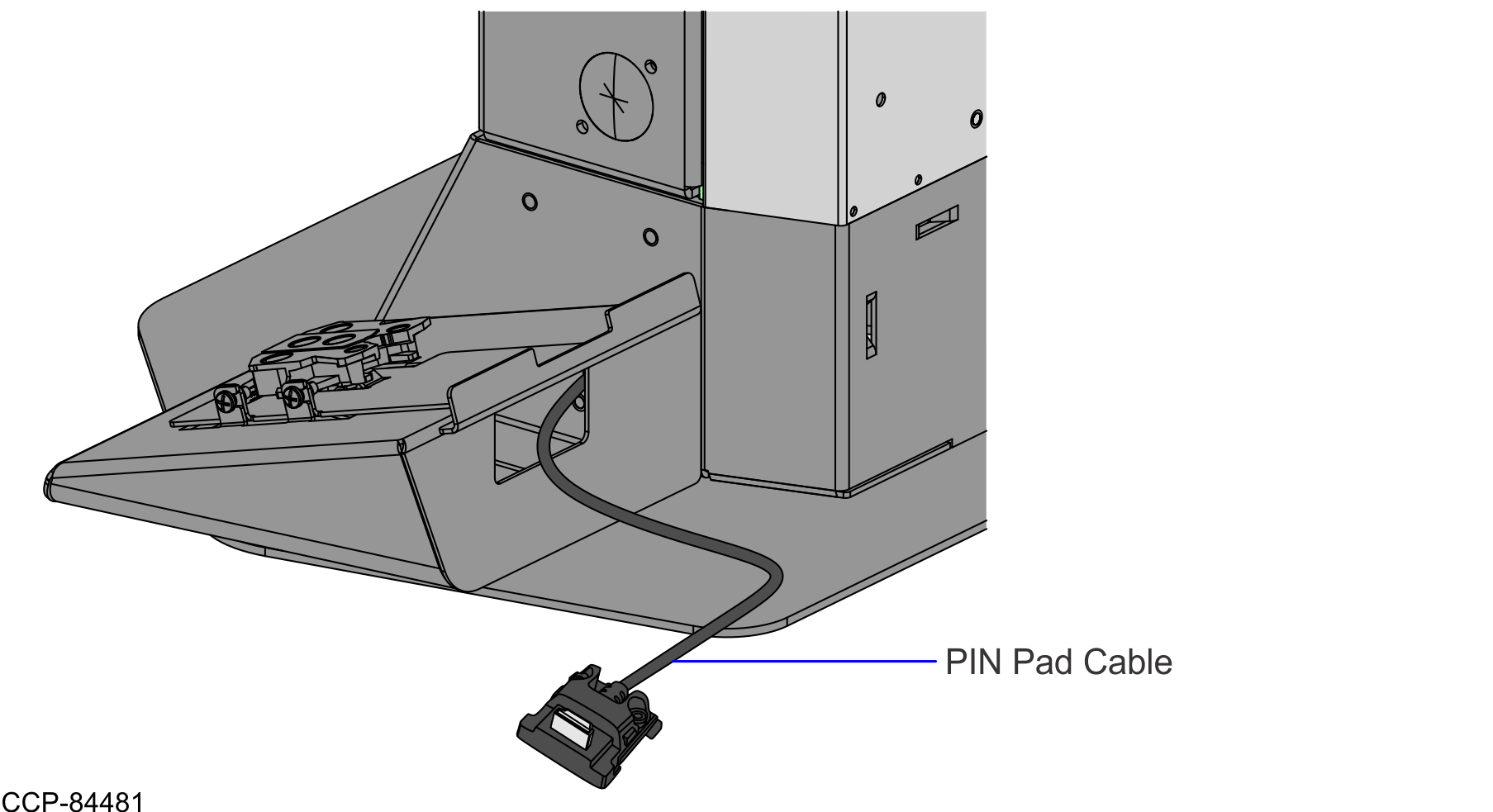
Connect the PIN Pad cable to the Ingenico Lane 7000 PIN Pad. For more information, refer to Installing the Ingenico Lane 7000 PIN Pad.