Removing the Scanner/Scale Adapter
To remove the Scanner/Scale Adapter, follow these steps:
- Turn off the 7371 SCO Full Function software and hardware systems.
- Do the following, if necessary:
- Remove the 7895 Scanner/Scale. For more information, refer to Removing the 7895 Scanner/Scale from Full Function Configuration.
- Remove the Terminal Display. For more information, refer to Removing the Terminal Display.
- Remove the PIN Pad Arm. For more information, refer to Removing the PIN Pad Arm.
- Remove the Handheld Scanner Arm. For more information, refer to Removing the Handheld Scanner Arm.
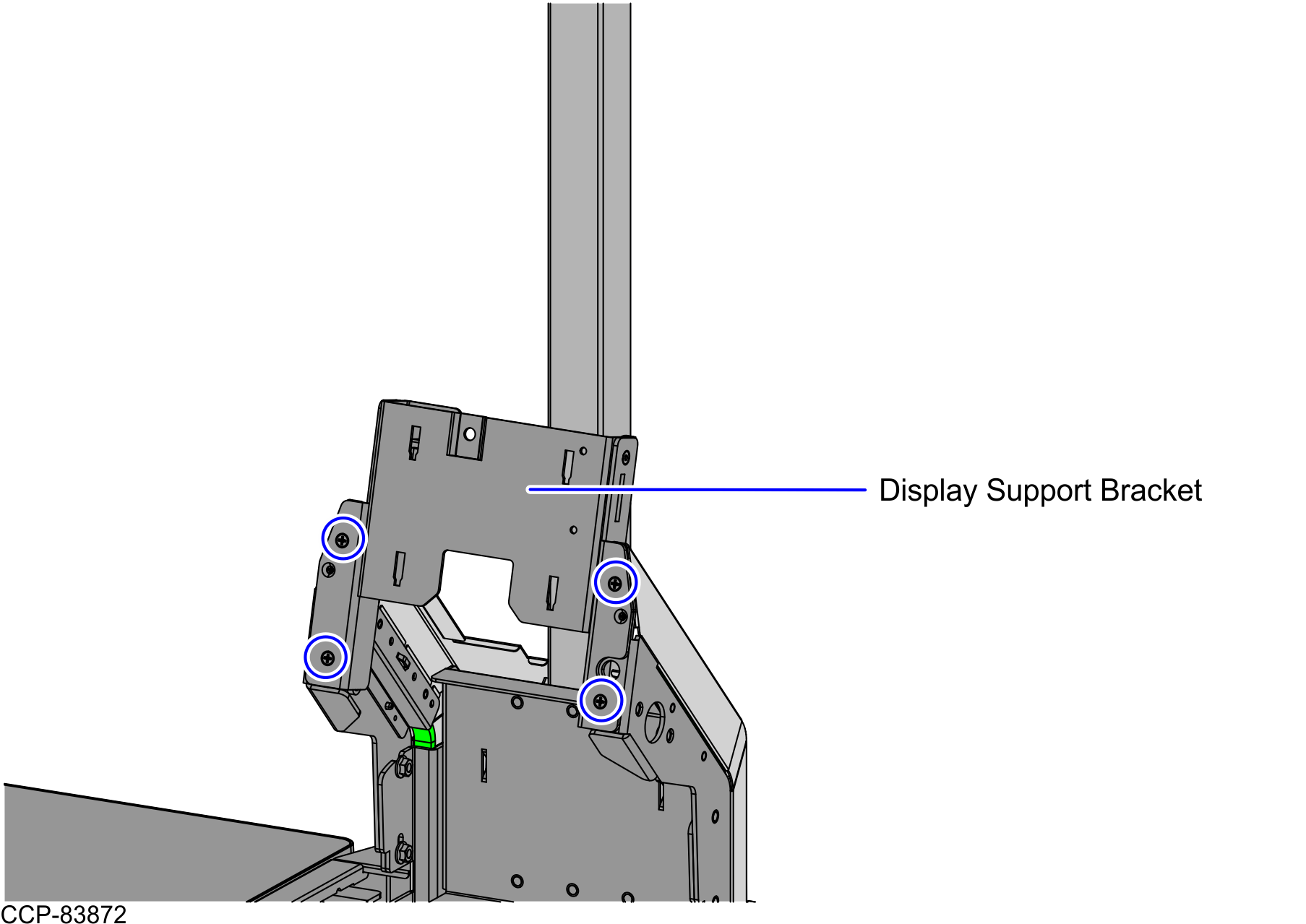
Remove and set aside four (4) screws to detach the Display Support Bracket from the Scanner/Scale Adapter.
NoteSet aside the screws for reinstallation.
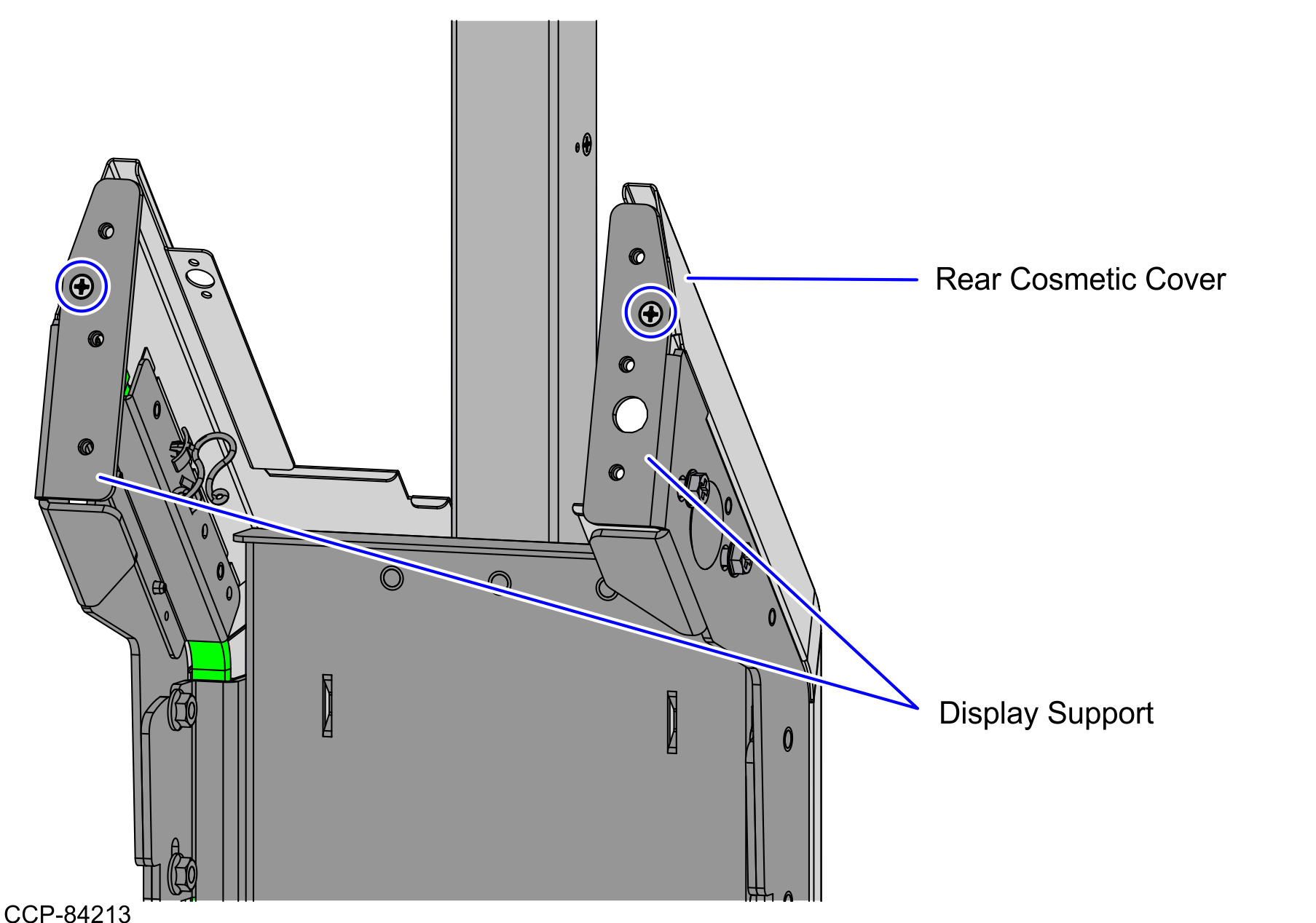
- Remove and set aside two (2) screws to detach the Rear Cosmetic Cover from the Display Support, as shown in the image below.Note
Set aside screws and Rear Cosmetic Cover for reinstallation.
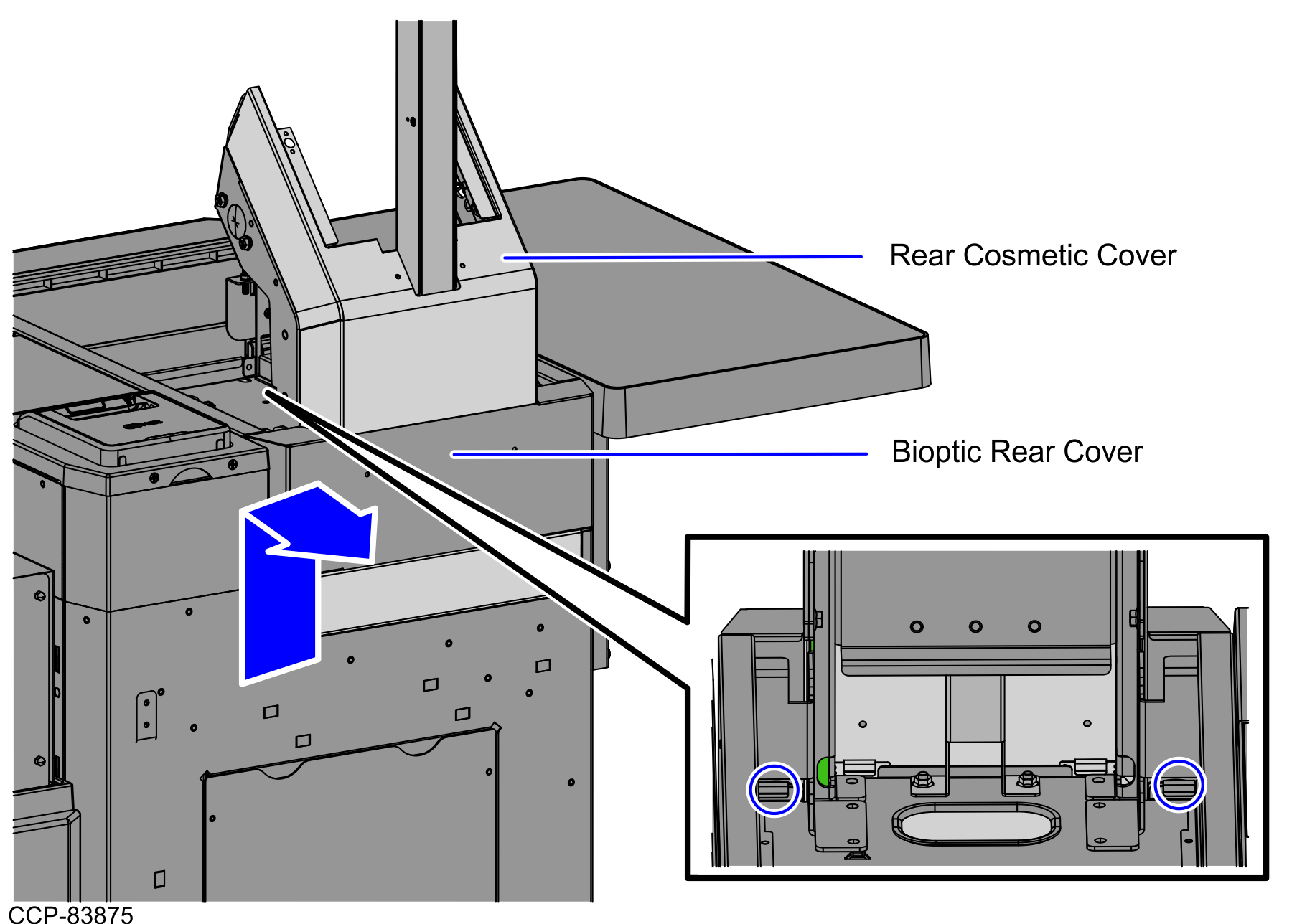
Pull up the Rear Cover assembly to disengage the four (4) hooks from the tabs of the Scanner/Scale Bucket, as shown in the image below.
NoteSet aside the Rear Cover assembly for reinstallation.
- Remove the LED Strip Bracket assemblies by doing the following:
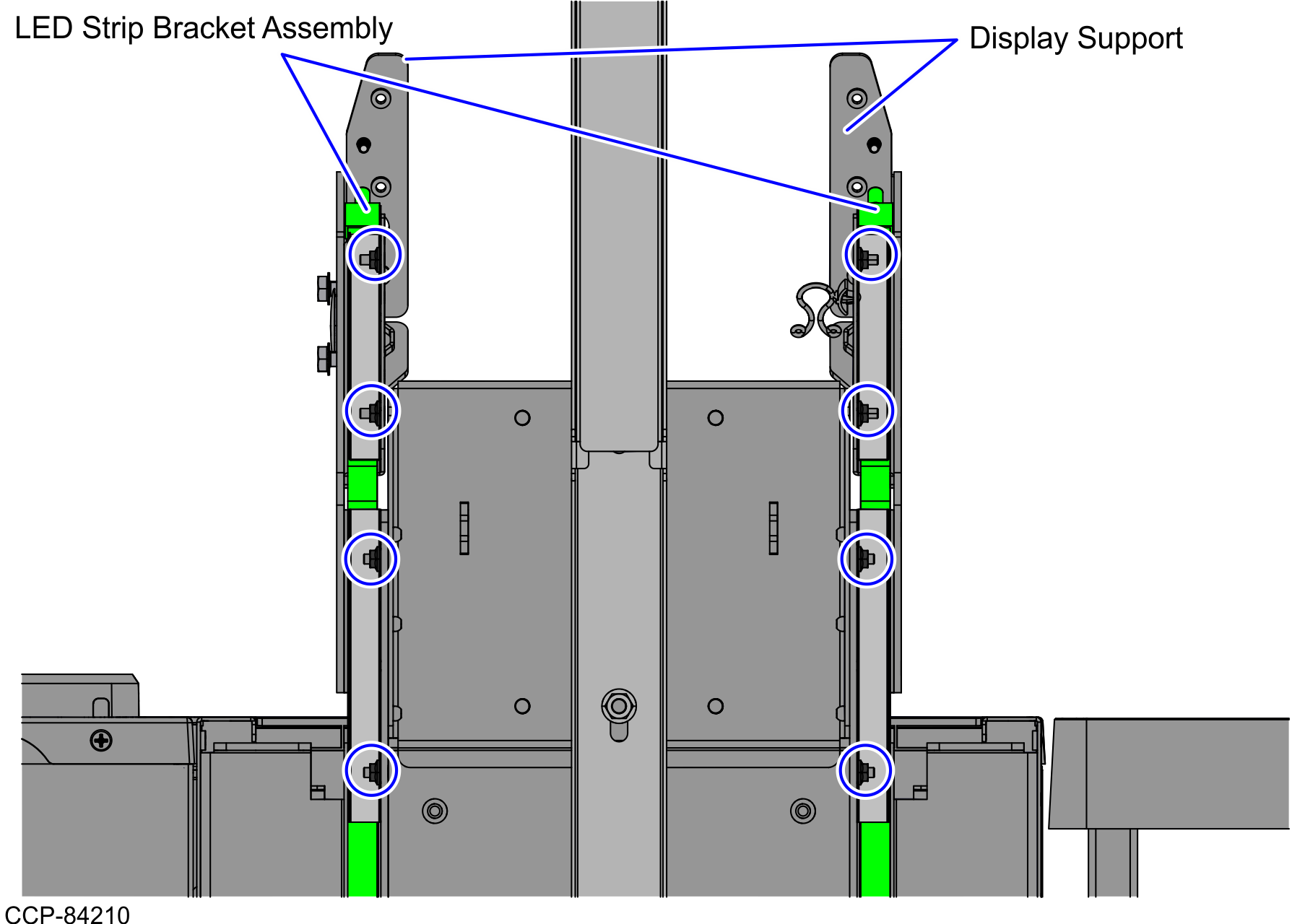
- Remove four (4) nuts from each sides of the Display Support to detach the LED Strip Bracket assemblies, as shown in the image below.Note
Set aside the nuts and the LED Strip Bracket assemblies for reinstallation.
 v
v - Disengage each LED Strip Bracket assembly from four (4) studs on the Scanner/Scale Adapters.
- Remove four (4) nuts from each sides of the Display Support to detach the LED Strip Bracket assemblies, as shown in the image below.
- Do the following:
- Remove and set aside the two (2) nuts to detach the Right Display Support from the frame, as shown in the image below.Note
Set aside the nuts for reinstallation.
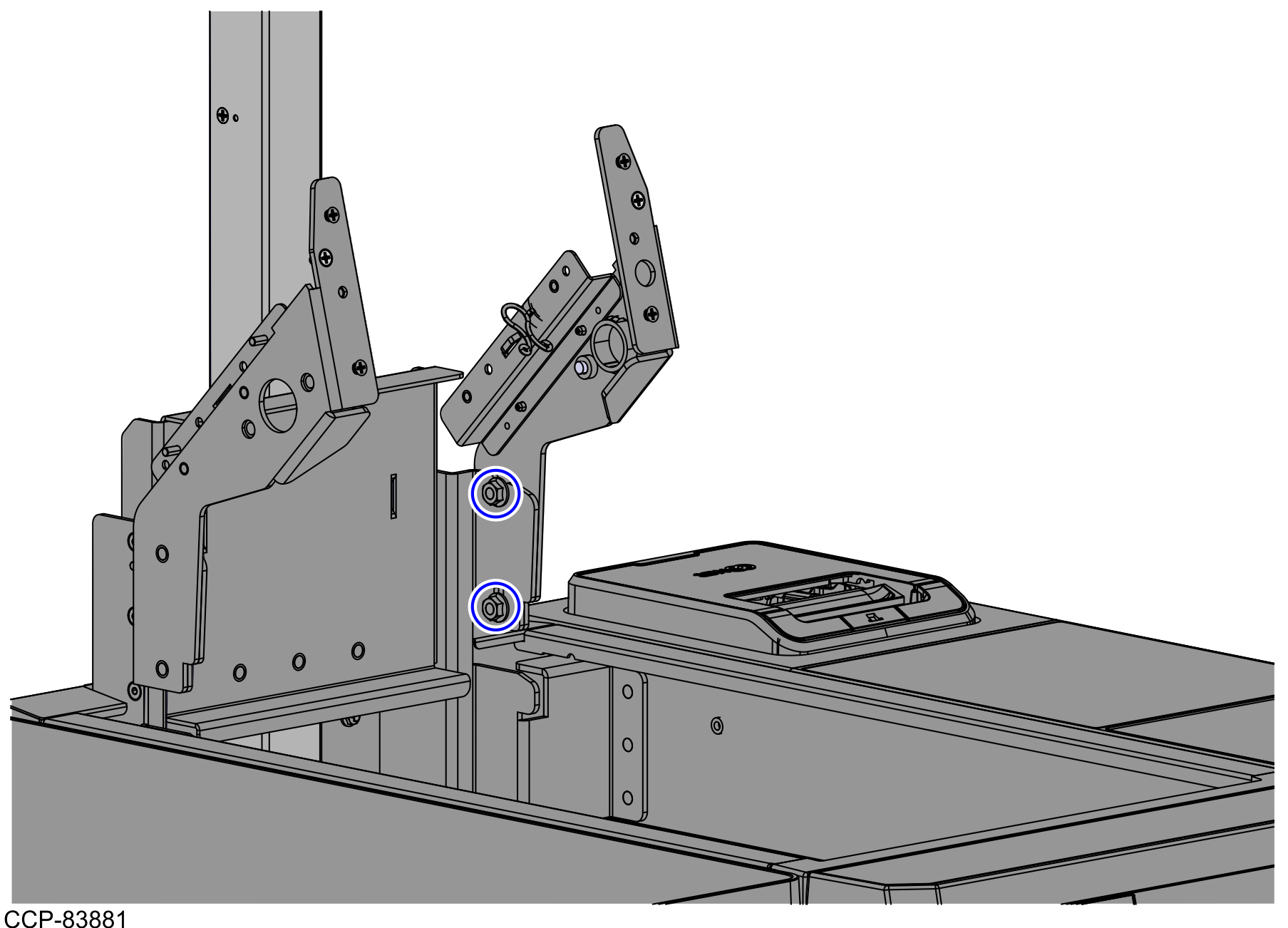
- Remove the two (2) nuts to detach the Left Display Support from the frame.Note
Set aside the nuts for reinstallation.
- Detach the twist lock, as shown in the image below.
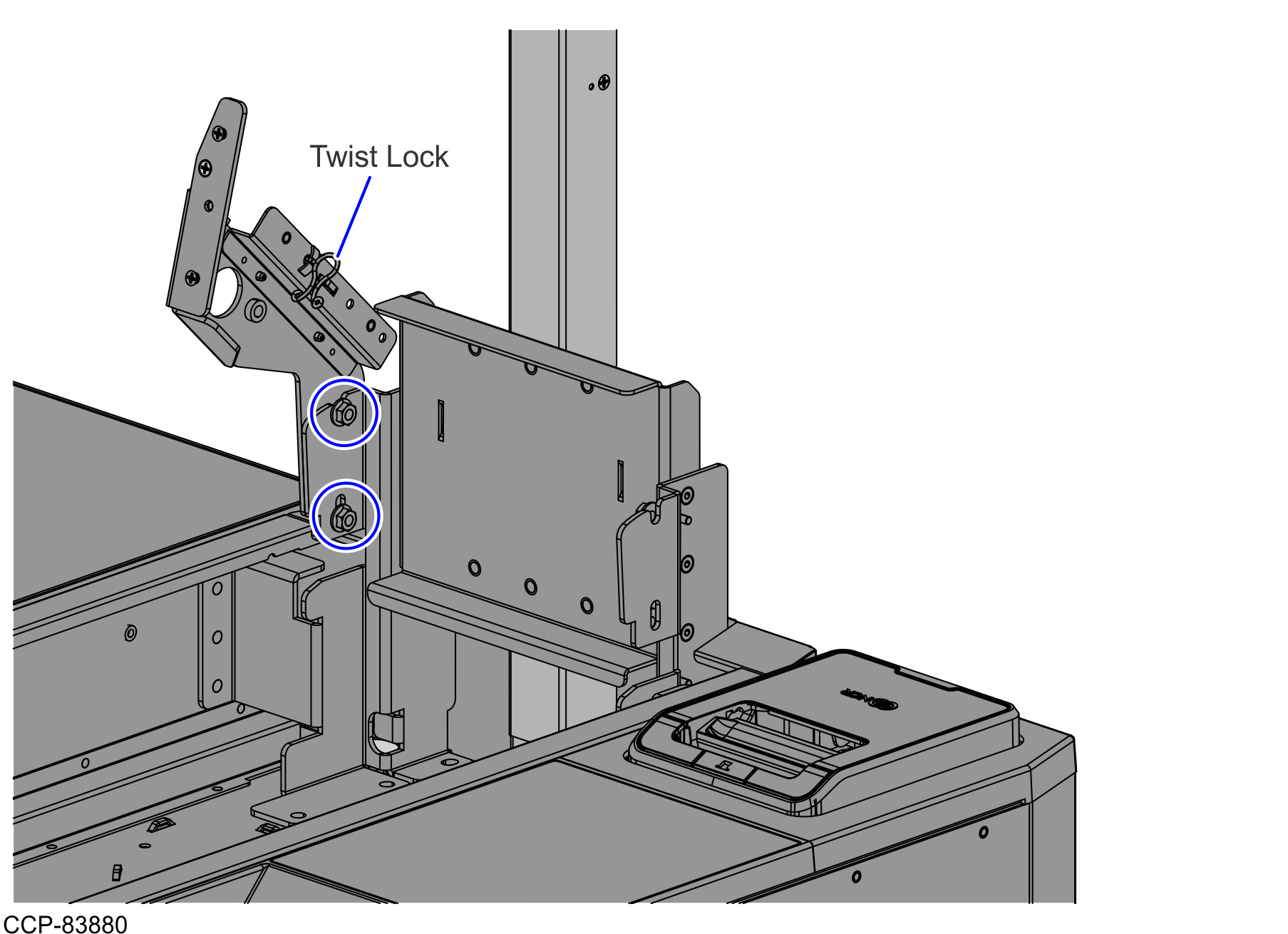
- Remove and set aside the two (2) nuts to detach the Right Display Support from the frame, as shown in the image below.