Installing the UPS: 7371 NCR Voyix SCO Hardware
To install the UPS, follow these steps:
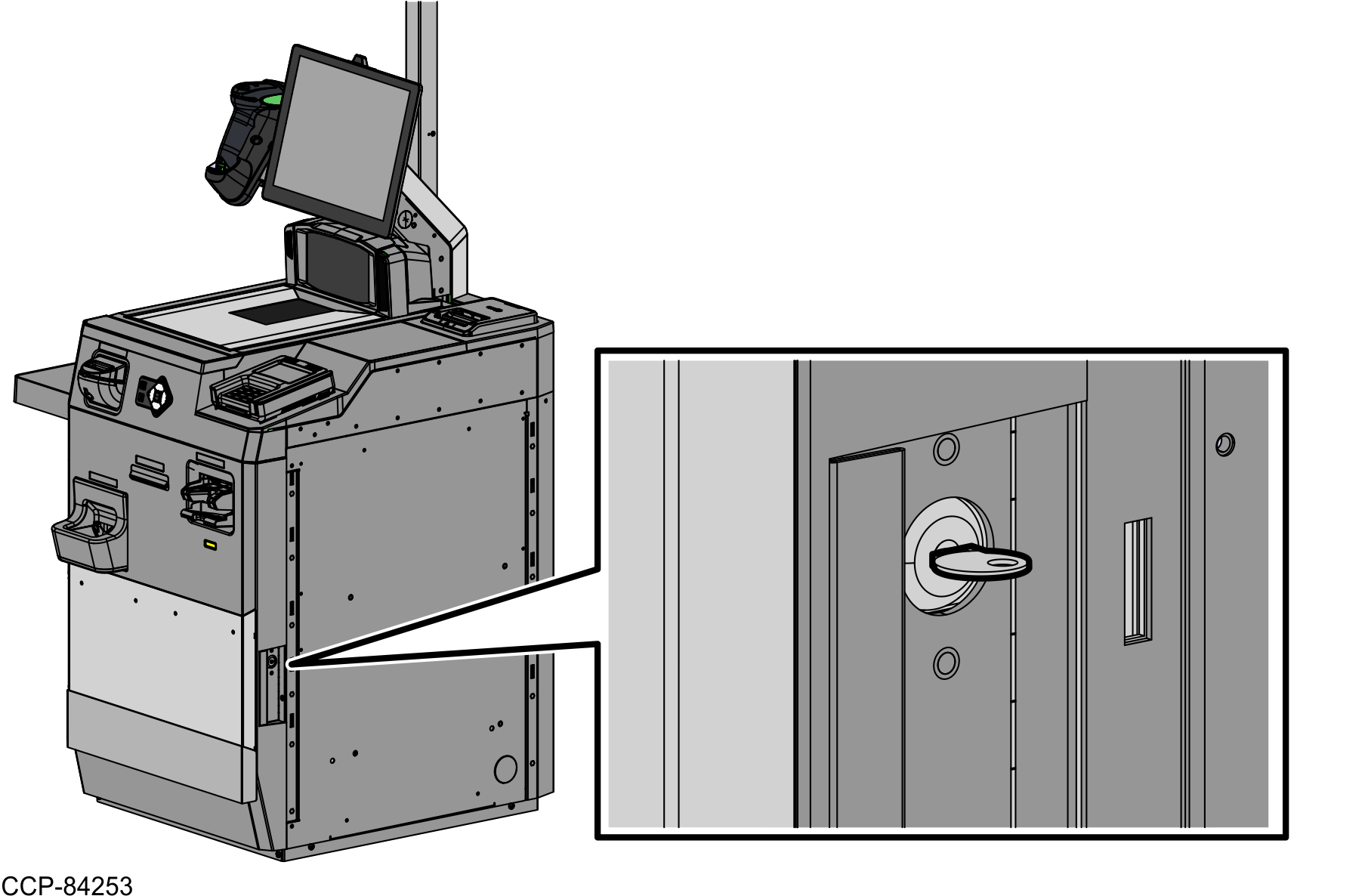
- Open the Core (Cabinet) using a key.
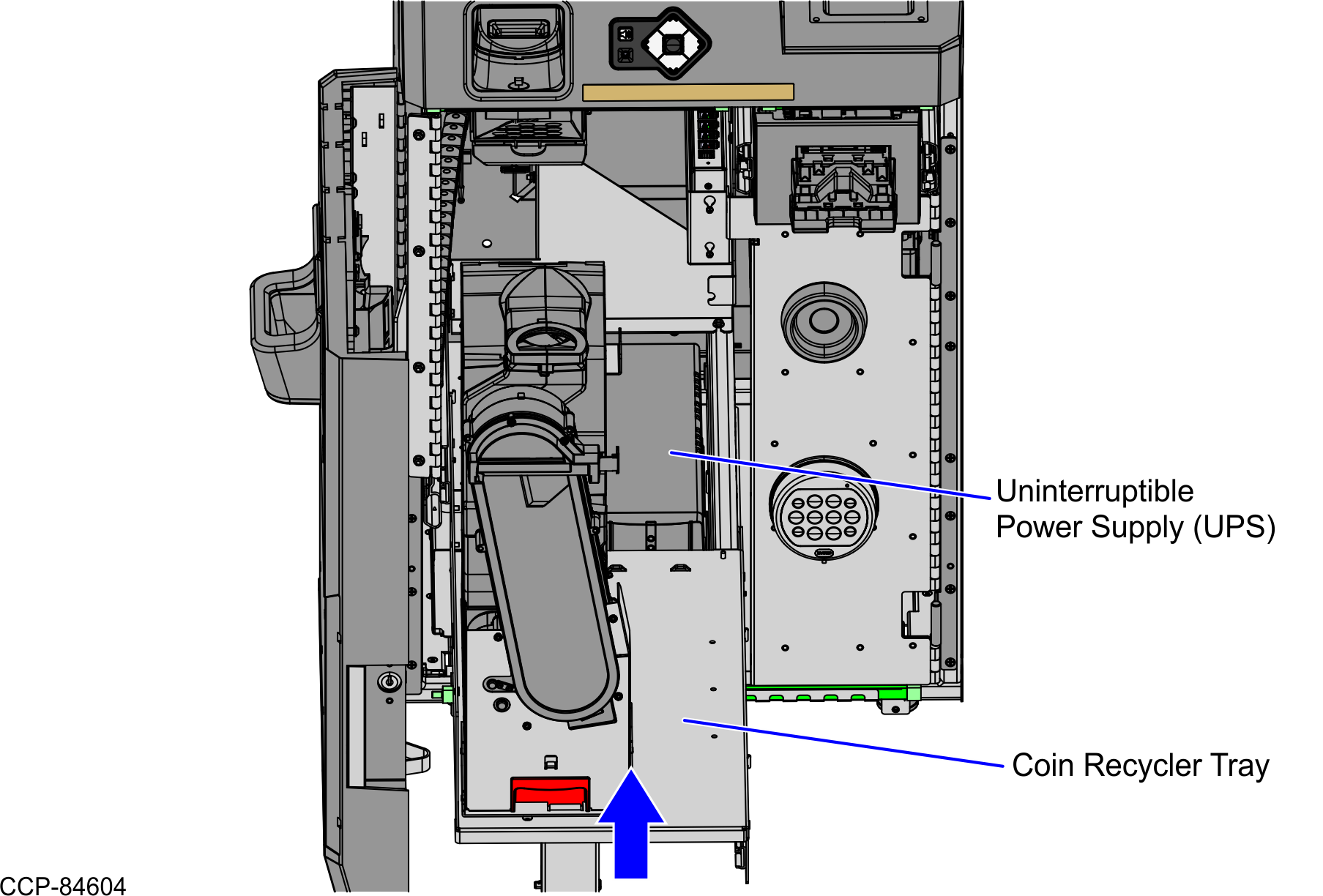
- Push the green latch and rack out the Coin Recycler Tray.
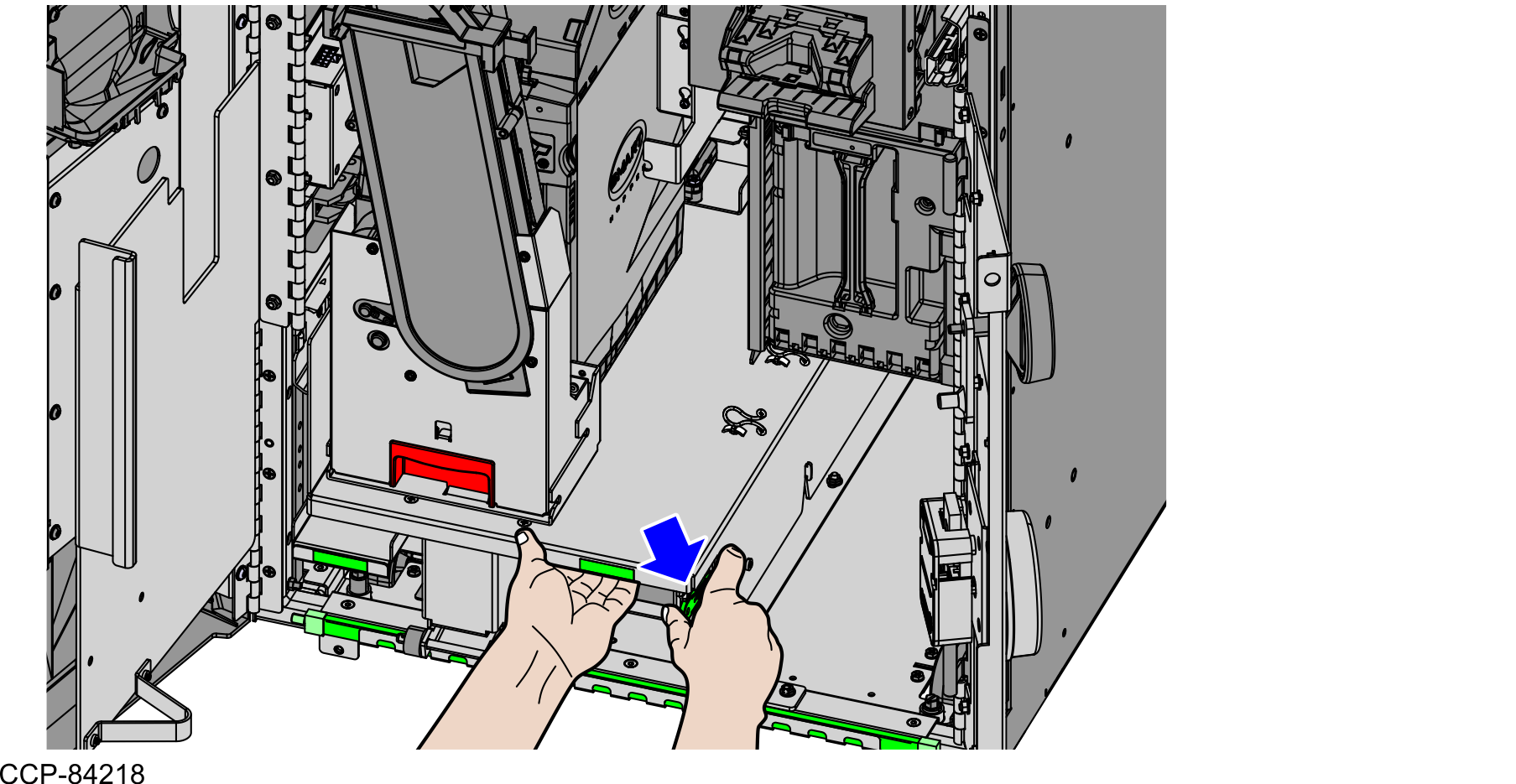
- Place the UPS on the base of the unit. Ensure that the UPS is fixed in position.

- Connect the cables to the UPS. For more information, refer to Routing the cables: 7371 NCR Voyix SCO Hardware.
- Push the Coin Recycler Tray back into place.Note
The illustration below shows a unit with an SCS Coin Recycler (ITL). Other units may be installed with a CR500 Coin Recycler, depending on the configuration.
- If immediate or abnormal shutdowns were experienced in the field prior to the UPS battery failure, perform the following steps before replacing the UPS:
- Verify the input voltage status of the UPS.
- Verify that the UPS conversion utility and firmware files are installed on the terminal.
- Convert the UPS voltage to support running environment voltage, if necessary.
- Plug the External AC Cable to the AC wall outlet and turn on the UPS.
- Turn on the POS and then run the ADD utility to ensure the device is updated with the latest firmware.