Installing the Handheld Scanner base dock
To install the Handheld Scanner base dock, follow these steps:
- Remove the existing Handheld Scanner base dock, if necessary. For more information, refer to Removing the Handheld Scanner base dock.
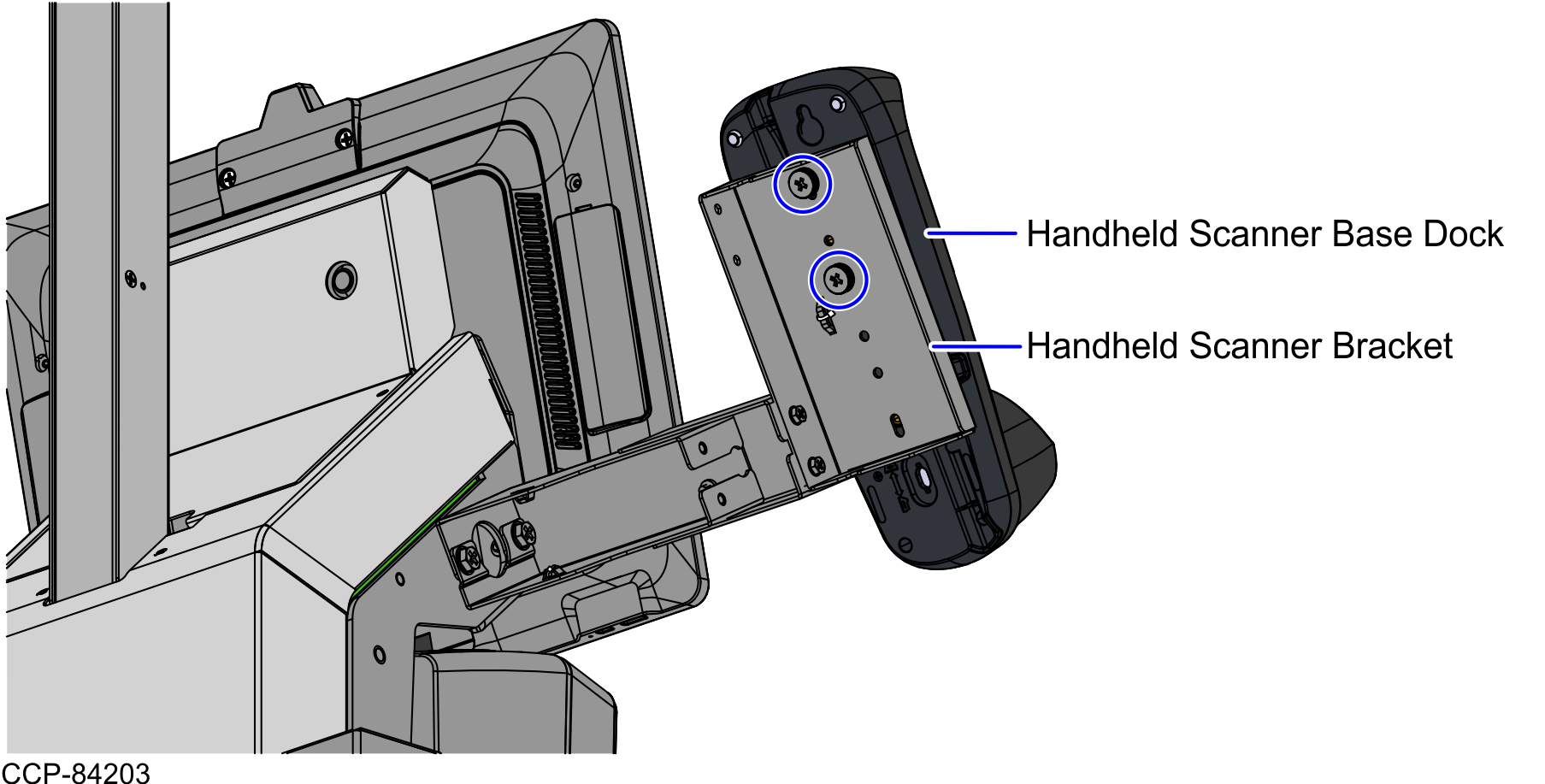
- Attach the base dock to the Handheld Scanner Bracket using two (2) screws, as shown in the image below.
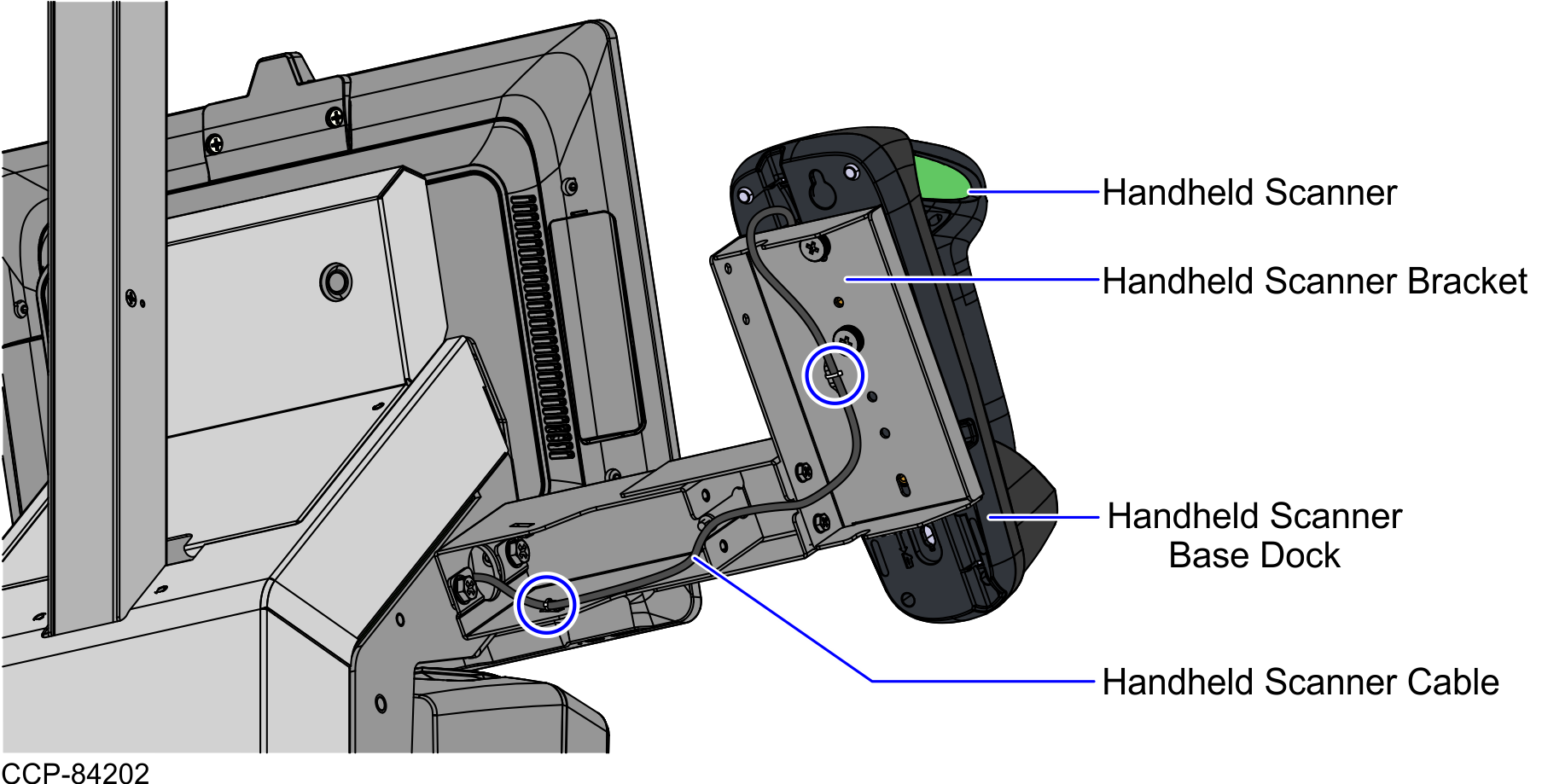
- Connect the Handheld Scanner cable to the base dock and secure the cable on the lance bridges at the back of the Handheld Scanner Bracket using cable ties, as shown in the image below.