Overriding an item's price
Configurable features
The POS application can be configured with the following features.
- Specify price change reasons. Refer to the following options:
- Sale Price Override Reason Codes > PriceOverride Reason Code
- Sale Price Override Reason Codes > PriceOverride Reason Description
- Sale Price Override Reason Codes > Sequence Number
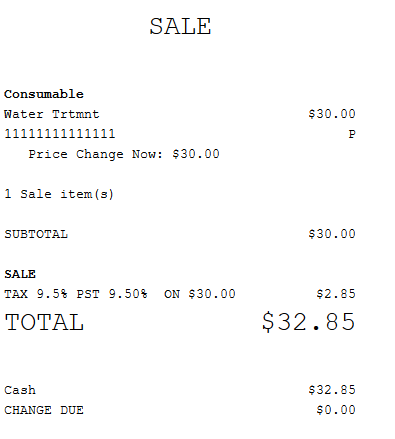
- Print the price change reason on the receipt. If the item has a new price that is lesser than the original price, the application prints the price change information below the item description. Refer to the following option:
- Sale Price Override Reason Codes > Print Lower Price Change Reason
- Specify the price override threshold of an item in a sales or return transaction. For more information, refer to the following option:
- Configurable Thresholds > Threshold identifier > SalePriceOverride
- Configurable Thresholds > Threshold identifier > ReturnPriceOverride
- Require authorization to change the item price when the price difference exceeds the defined limits for the price override threshold. Refer to the following option:
- Authorization Overrides > Authorization Functions > PriceOverrideThreshold
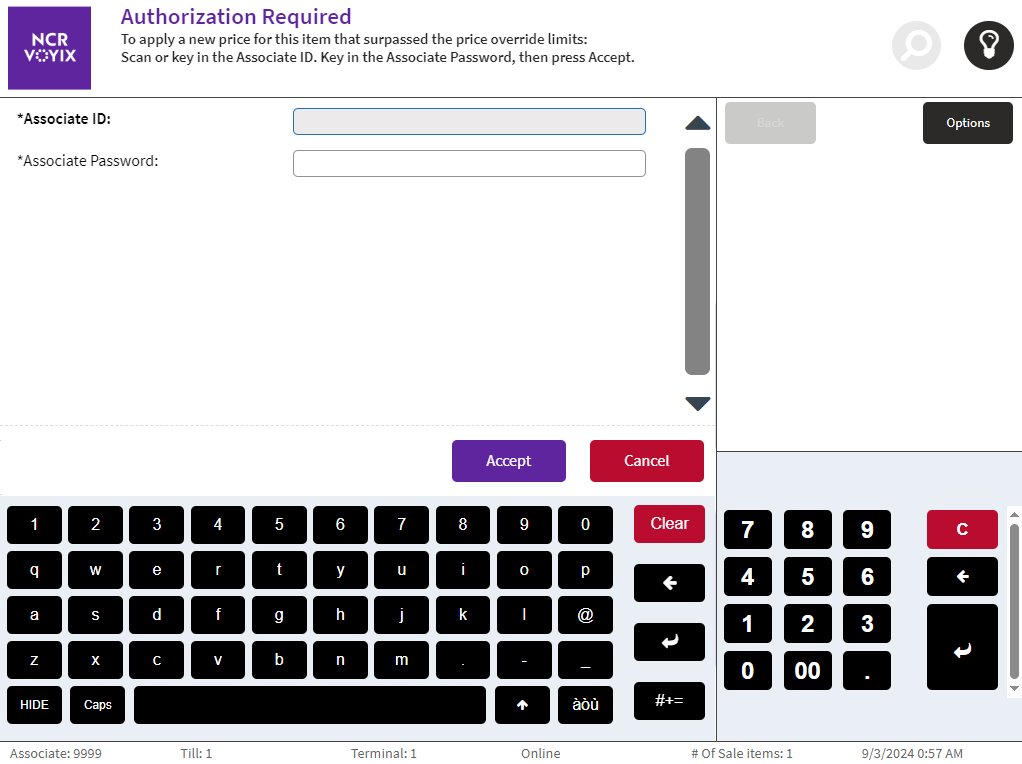
- Configure the directions text on the Authorization Required screen when the price change exceeds the price override threshold. The Lookup Key for the Authorization Required text display is SpecificThresholdHelpText. For more information, refer to Renaming POS UI Elements and Receipt Text.
To override an item’s price, follow these steps:
- On the Sale Main Menu screen, select an item requiring a price correction. The application displays the Item Options panel.
- Select Price Override. The application displays the Price Override Reason screen.Note
If the item has been previously applied with a new price, percent off, or amount off, the Price Override button is disabled.
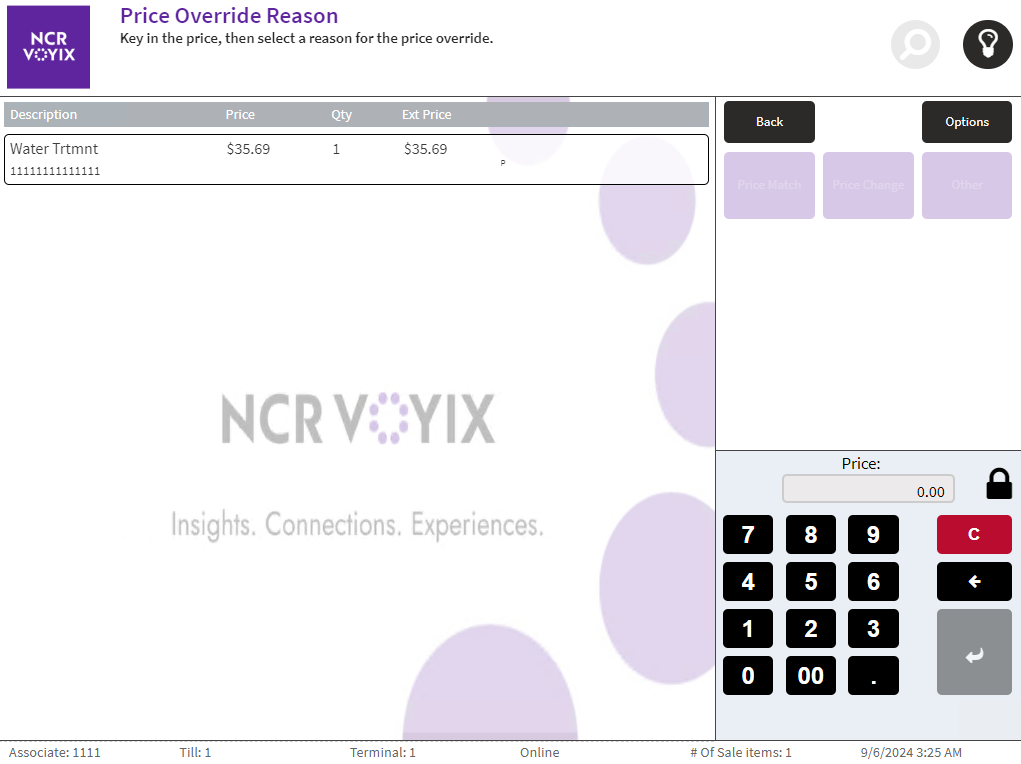
- Enter the new price of the item. The POS enables the price change reason codes.

- Select one of the following reasons for changing the price:
- Price Match
- Price Change
- Other
The application displays the Sale Main Menu screen with the new price and the price change reason.

- Complete the transaction.
Changing the price of a zero-priced department item does not affect the price, extended price, subtotal, tax, or total of the item. After selecting Pay, the application skips the Tender Menu screen and automatically displays the Receipt Preference screen.
Specifying sales price override thresholds
Retailers can define the price override thresholds in sales and return transactions and authorize specific associates to change the item's price.
The sale price override threshold can be configured by dollar amount or percentage off. Both thresholds can be enabled at the same time. If the price difference exceeds the configured thresholds, the POS application displays Authorization Required screen. For example, when the dollar amount threshold is set at five dollars and the percentage threshold is set at 10%, an original item priced at $100 with a price change of $96 will not require an authorization since the price difference is only four dollars or four percent and does not exceed the set thresholds. If the new item price is $91, an authorization is required because the nine-dollar difference still exceeds the five-dollar threshold.
Sample receipt
The following image displays a sales receipt with the price override reason.