Accepting business invoices
A business invoice records an accounts receivable transaction. The invoice provides the retailer information of what has been sold, the amount, the date and location of the transaction, and so on. This information is useful for bookkeeping and billing the buyer.
Configurable features
The POS application can be configured with the following features.
- Define the tender name. This tender name is also displayed in the Tender Menu, Receipt, Title Headers in the POS application, and so on. Refer to the following option:
- Tender Definitions > Tender Name
- Configure the POS application to ask for customer information, such as address, driver’s license, and e-mail. Refer to the following option:
- Information Form Definitions >Info Set Name> AccountsReceivableTenderPrompts
To accept business invoices as payment, follow these steps:
- On the Tender Menu screen, select Business Invoice. The POS application displays the Business Invoice Amount screen.
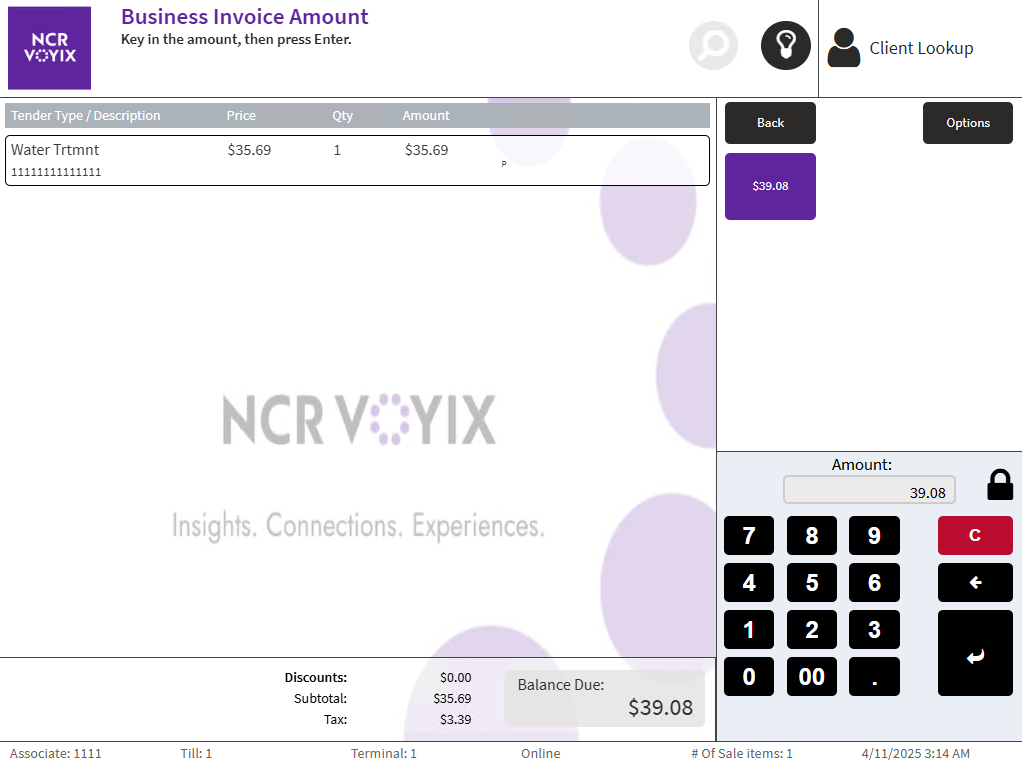
- Do one of the following:
- Enter the amount, and then select Enter.
- Select the exact amount displayed on the screen.
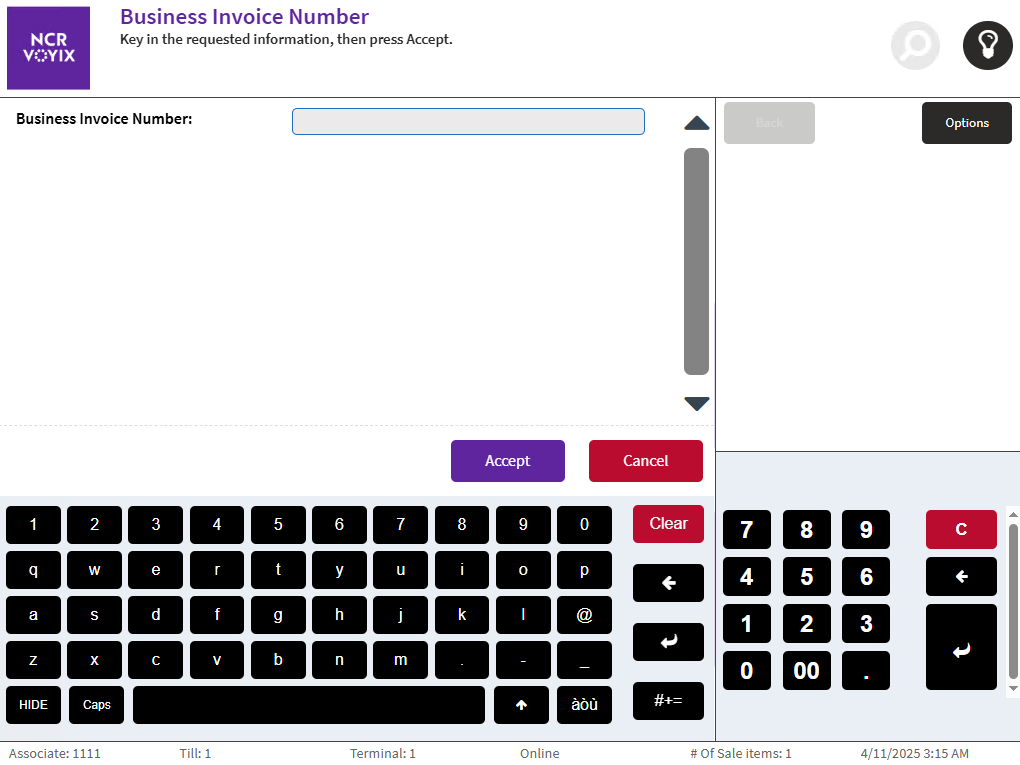
The POS application displays the Business Invoice Number screen.
 Note
NoteThe number entered in the field is validated with the validation scheme set in EOM.
- Enter the Business Invoice Number, and then select Accept. The POS application displays the Customer Telephone Number screen.
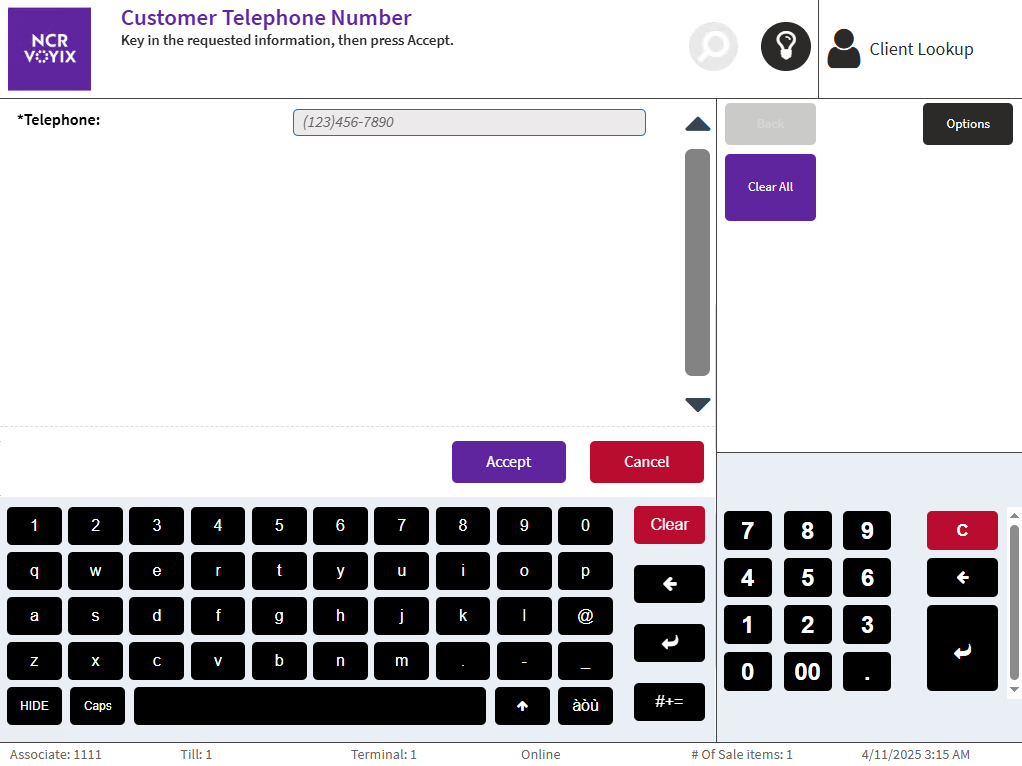
- Enter the Telephone number, and then select Accept.
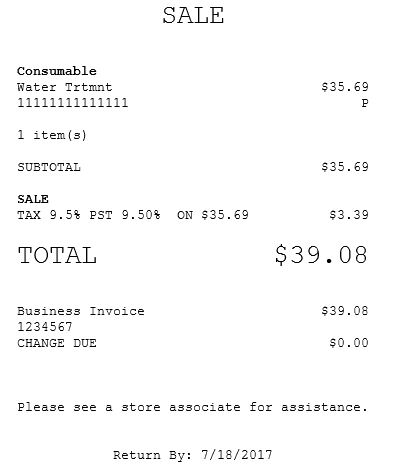
- Select a receipt type on the Receipt Preference screen. The POS application displays the Change Due screen and prints the receipt.
- Close the cash drawer.
Sample receipt