Removing the Remote Scale Display Mount for Flag 7879 Scale Display
To install the Remote Scale Display Mount, follow these steps:
- Turn off the 7371 SCO Full Function software and hardware systems.
- Disconnect the Scale Display cable from the 7879 Scanner/Scale.
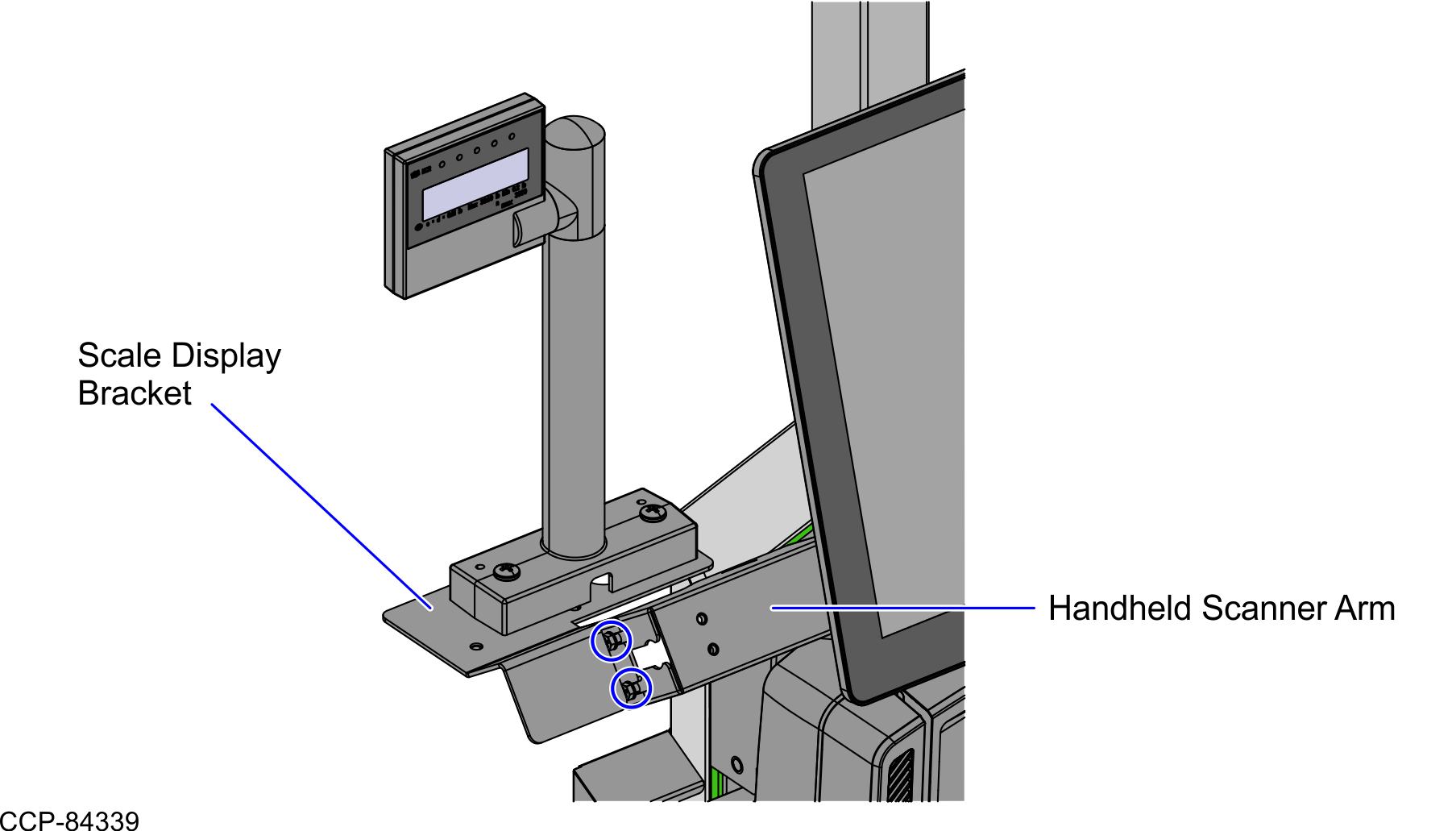
- Loosen two (2) M4 hex screws to detach the Scale Display Bracket from the Handheld Scanner Arm, as shown in the image below.
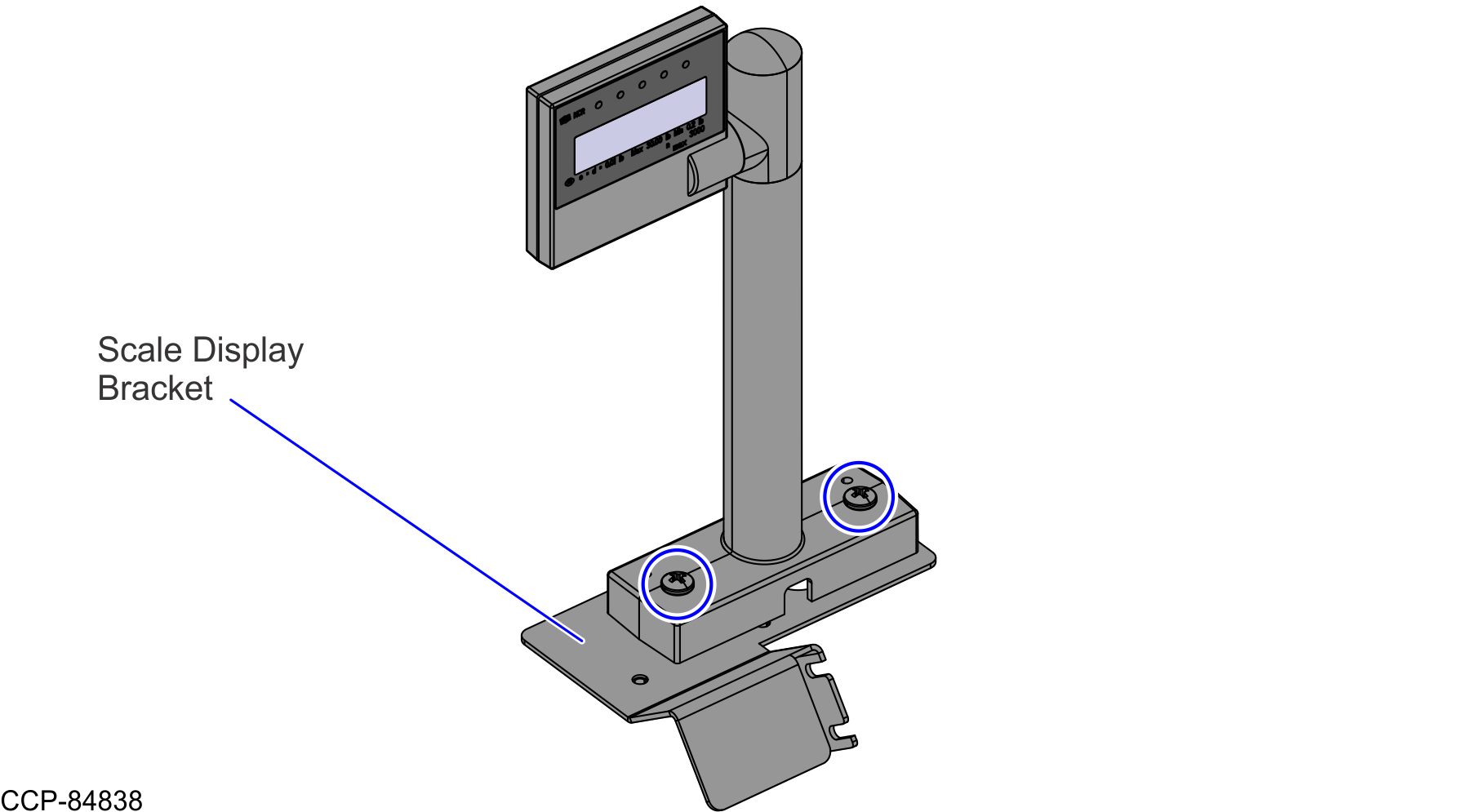
- Remove two (2) M6 screws to detach the 7879 Scale Display from the Scale Display Bracket, as shown in the image below.Note
The 7879 Scale Display is supplied by the customer.
- Remove two (2) M6 hex screws to detach the Handheld Scanner Arm, as shown in the image below.