Removing the Interactive Status Light Assembly
To remove the Interactive Status Light Assembly, follow these steps:
- Turn off the NCR Voyix SelfServ Checkout software and hardware systems.
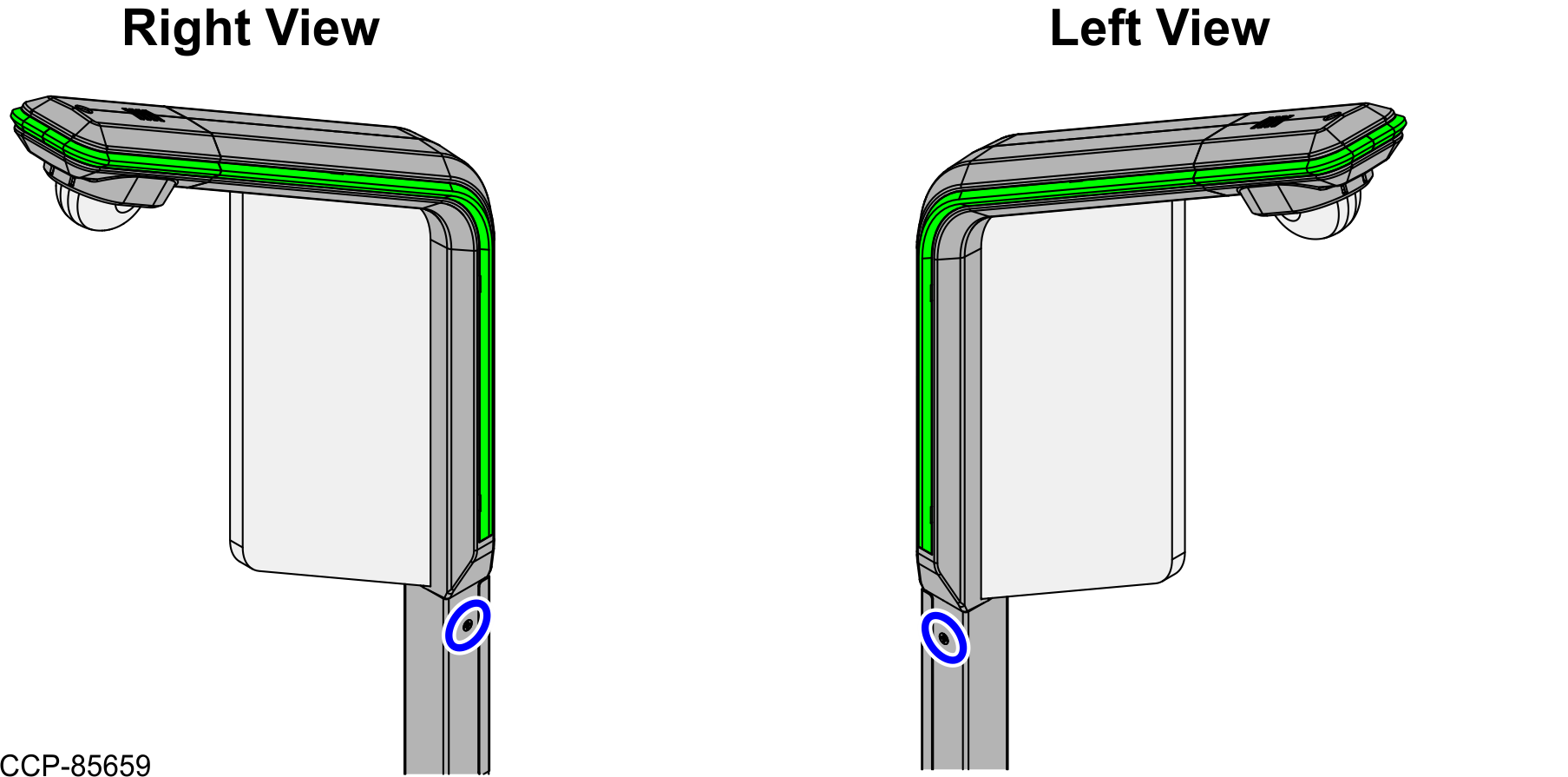
- Remove two (2) flathead screws to detach the Interactive Status Light Assembly from the Tri-Light/Lane Light Pole.
- Lift the Interactive Status Light Assembly from the Tri-Light/Lane Light Pole. Note
Ensure to apply enough slack on the Interactive Status Light Cable and the LAN Cable before removing the Interactive Status Light Assembly from the Tri-Light/Lane Light Pole.
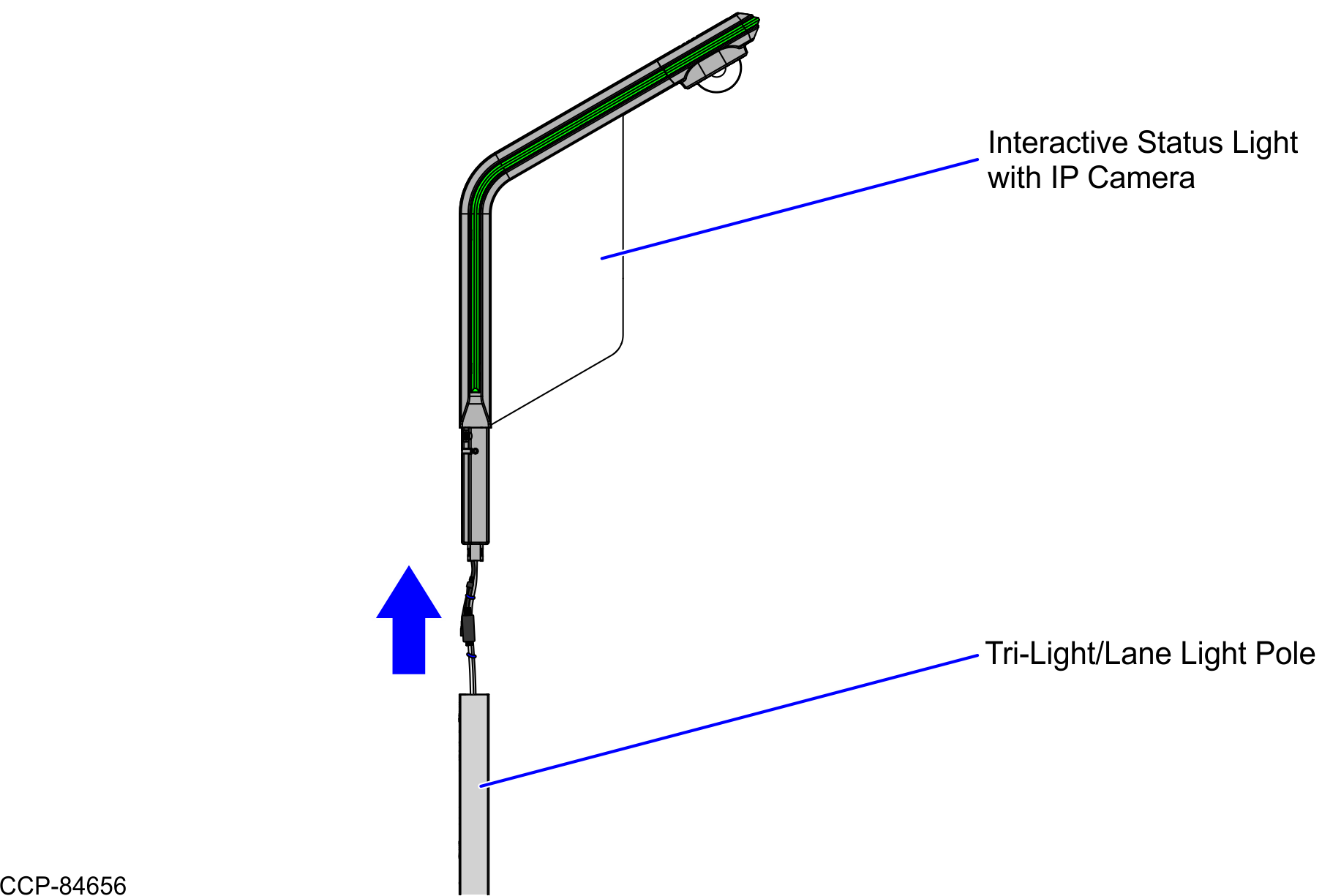
- Cut all the cable ties and disconnect all the cables from the Interactive Status Light Assembly.