Installation Procedures
To install the 7371-K009 Metal Scale Pod Constraints, follow these steps:
- Turn off the NCR Voyix Self-Checkout software and hardware systems.
- Remove the plastic Scale Pod Constraints. For more information, refer to Removing the Plastic Scale Pod Constraints.
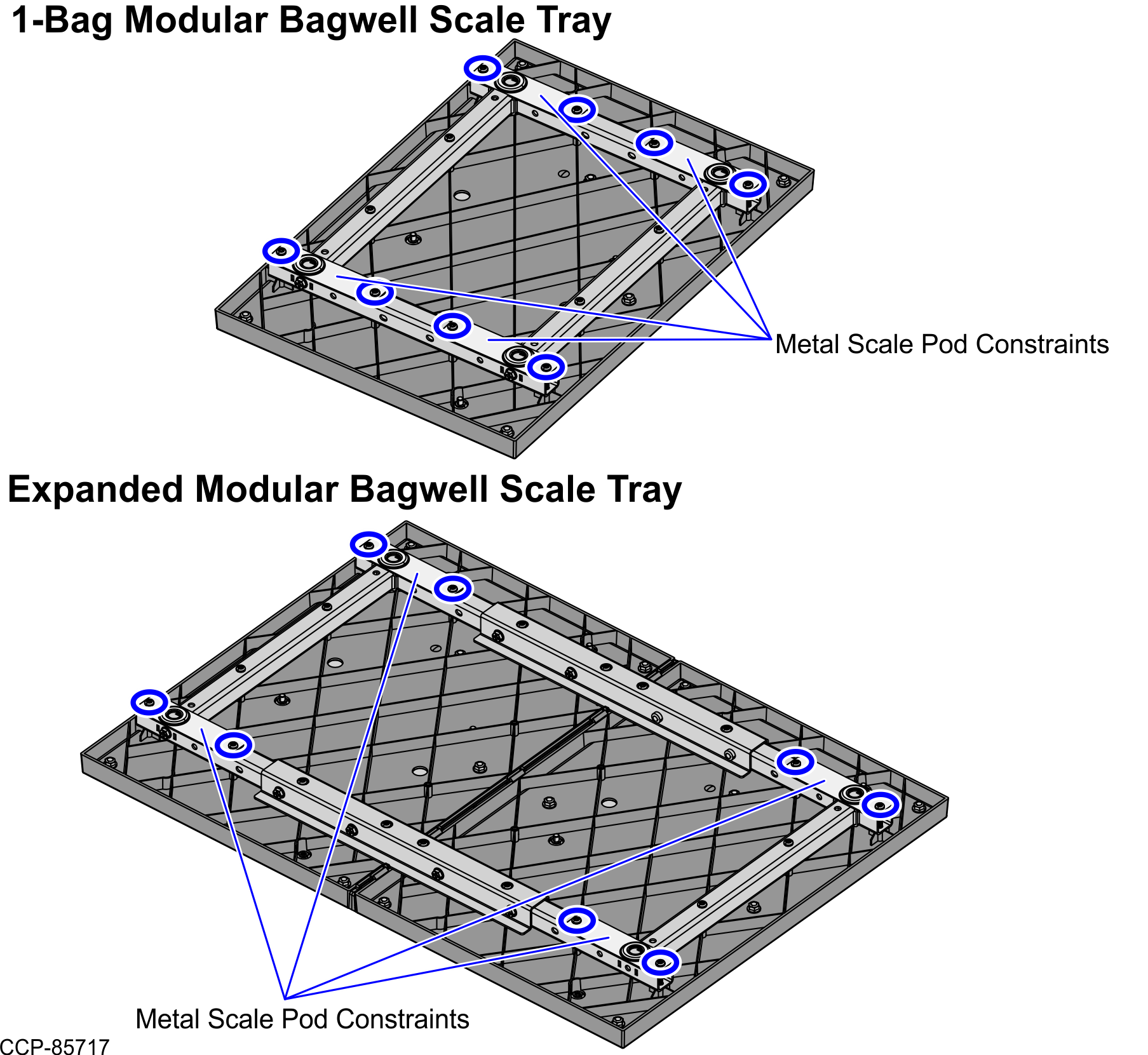
- Under the Scale Tray, use a T20 Torx bit to remove screws from the Scale Tray Tubes. Depending on the Scale Tray, refer to the images below for the locations of each screw.Note
Set the screws aside to attach the metal Scale Pod Constraints on the Scale Tray Tubes.
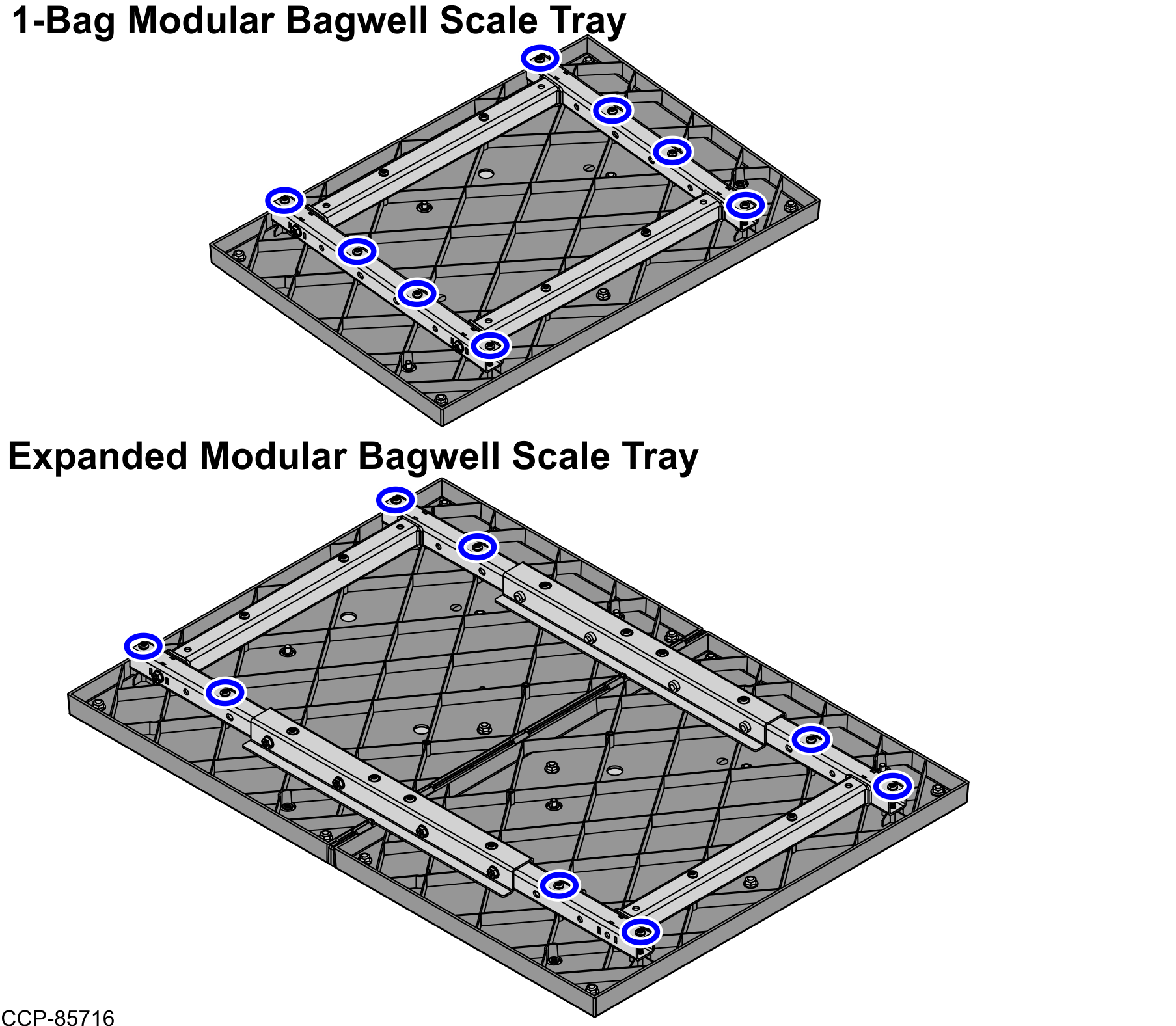
- Using two (2) screws, attach a metal Scale Pod Constraint on each corner of the Scale Tray Tubes. Depending on the Scale Tray, refer to the images below.