Configuring the Loader Cassette
Most note denominations have unique length and width dimensions. The interior of the Loader Cassette must be configured to correspond with the note’s length and width.
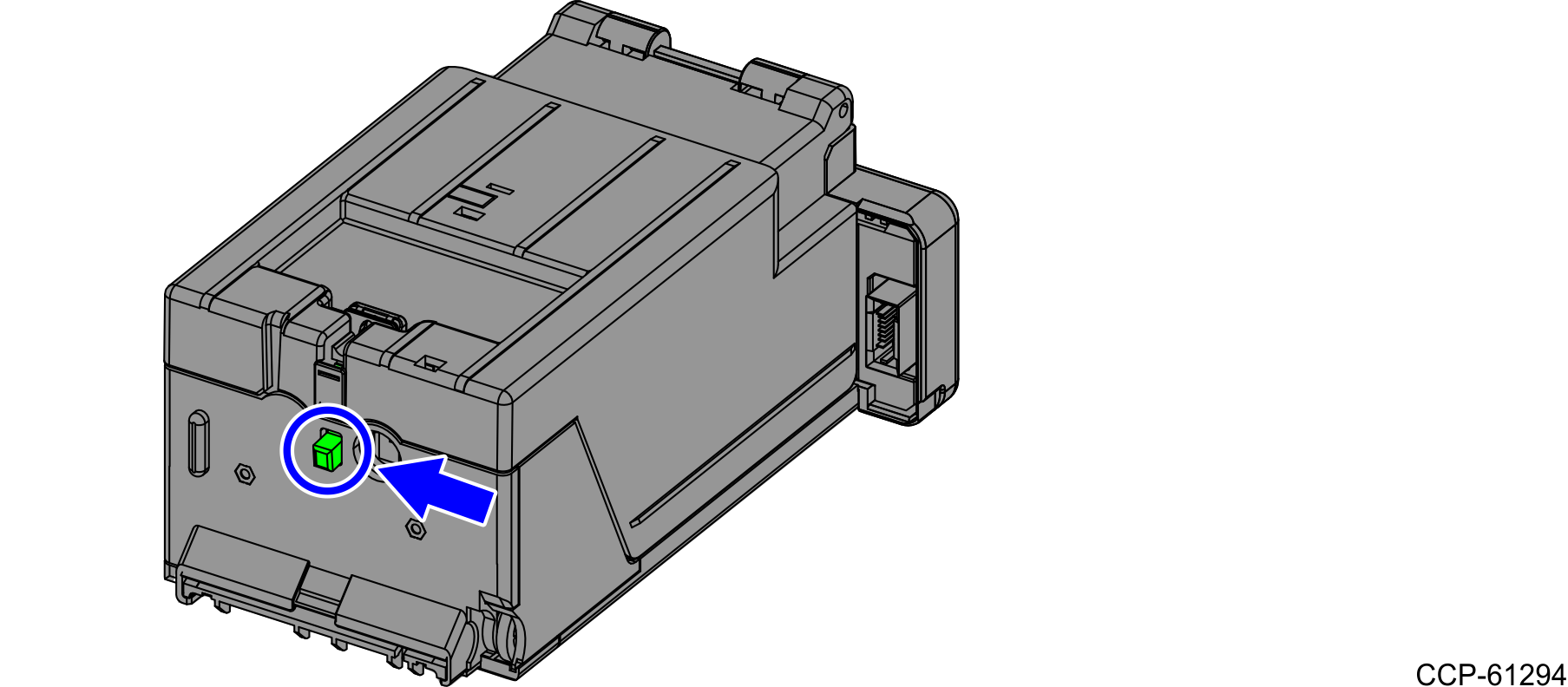
- Press the green button on the back of the Loader Cassette and open the cassette lid.
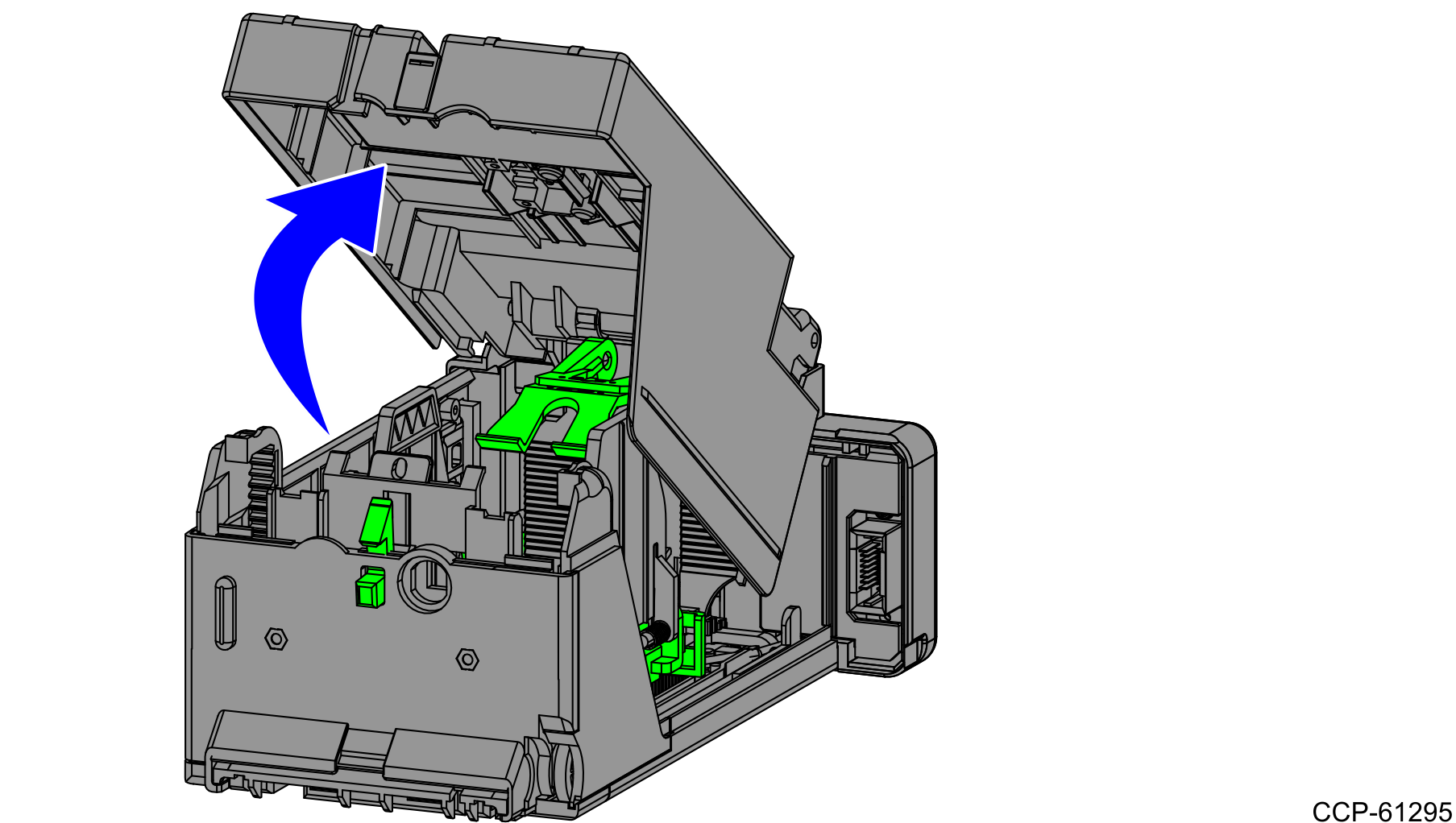
- Lift the lid of the Loader Cassette.
- Lift the Pressure Plate up along the grooves.
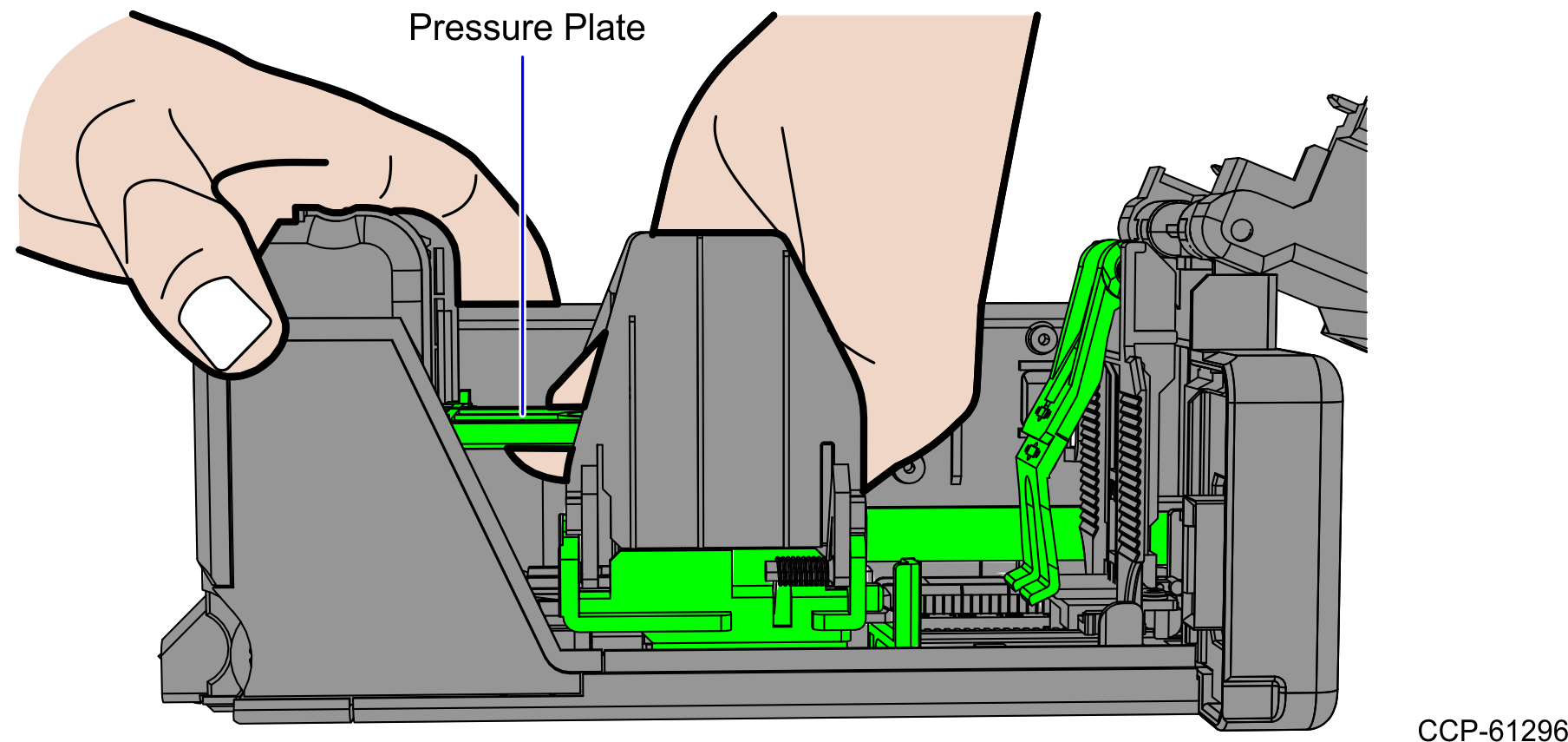
- Raise the Pressure Plate into a vertical position.
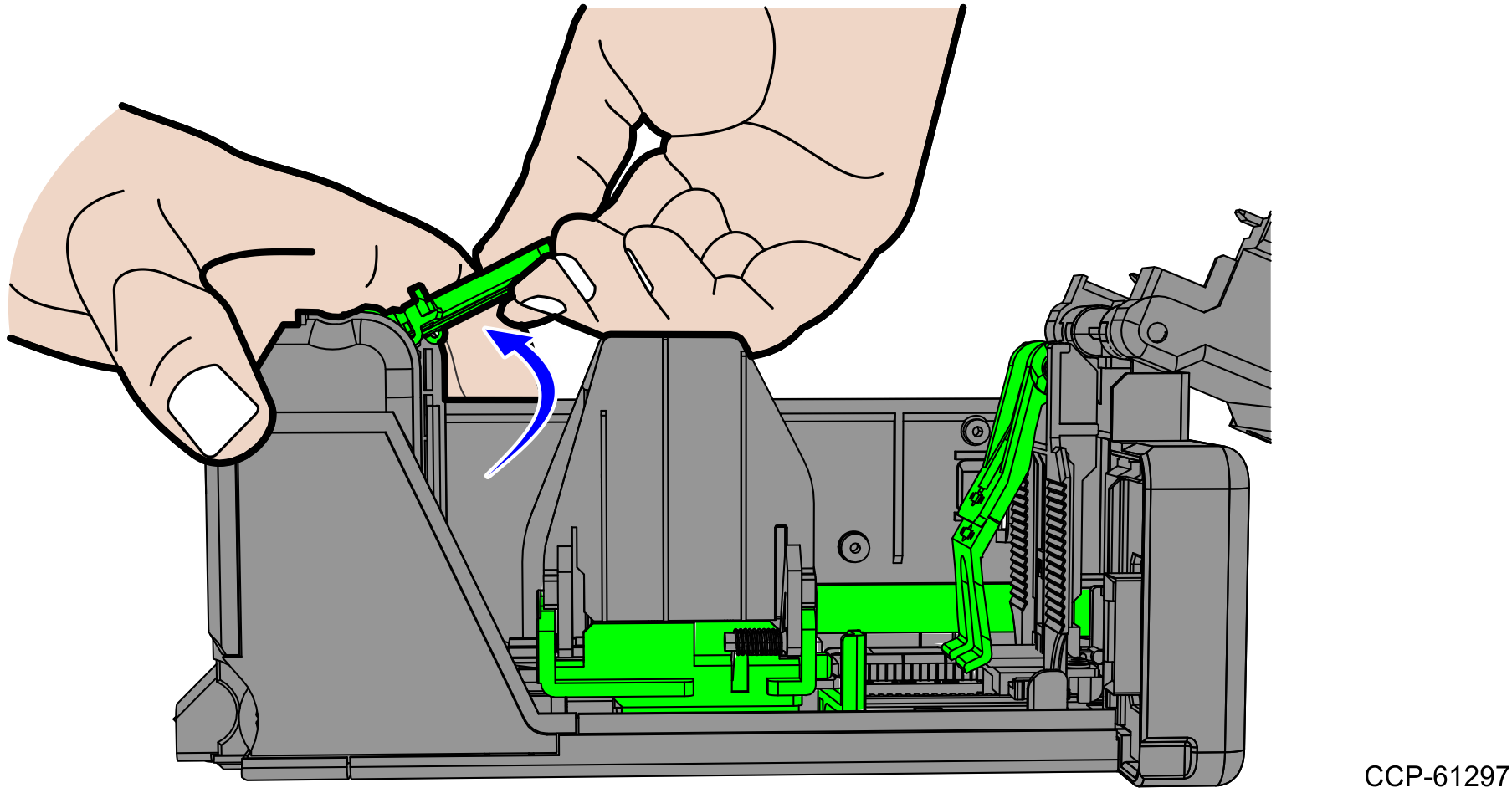
- Lift the Rear Guide until it is seated in the vertical position.
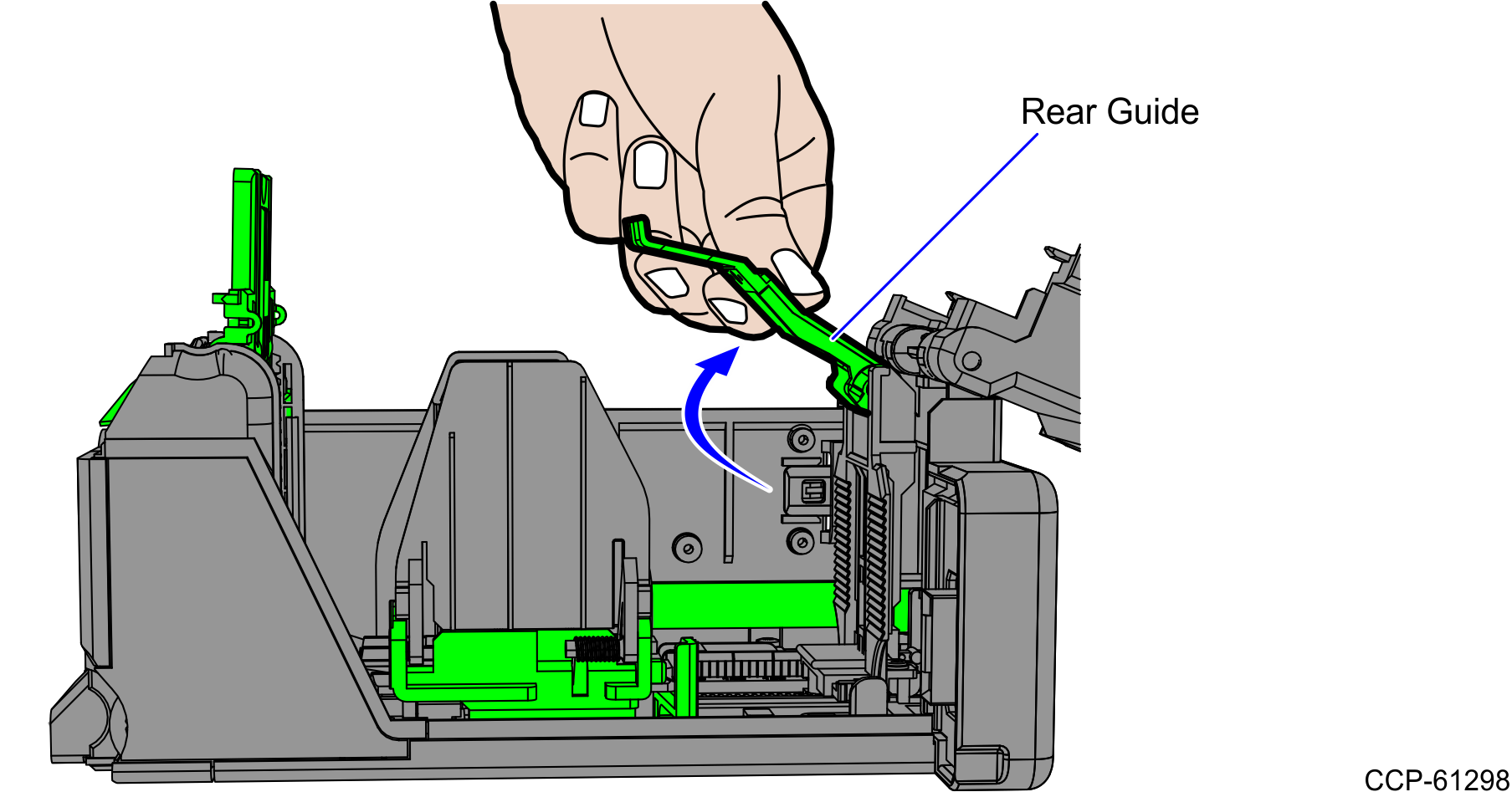
- Set the note width and note length for the appropriate denomination.
Country Note Denomination Dimensions (mm)
L x WLoader Settings (mm) Length Width Australia $ 5 130 x 65 132 66 $ 10 137 x 65 138 66 $ 20 144 x 65 146 66 $ 50 151 x 65 152 66 Euro € 5 120 x 62 122 64 € 10 127 x 67 128 68 € 20 133 x 72 134 74 € 50 140 x 77 142 78 Japan ¥ 1000 150 x 76 152 78 ¥ 2000 154 x 76 156 78 ¥ 5000 156 x 76 158 78 United Kingdom £ 5 135 x 70 136 72 £ 10 142 x 75 144 76 £ 20 150 x 80 152 82 £ 50 156 x 85 158 86 United States $ 1 156 x 66 158 68 $ 5 156 x 66 158 68 $ 10 156 x 66 158 68 $ 20 156 x 66 158 68 $ 50 156 x 66 158 68 $ 100 156 x 66 158 68 Setting the Note Width
- Using the table above, determine the width setting of the note denomination that will be inserted in the cassette.
- Push the green tab on the width bracket and adjust the bracket so that the pointer on the gauge aligns with the width setting value for the corresponding note denomination.
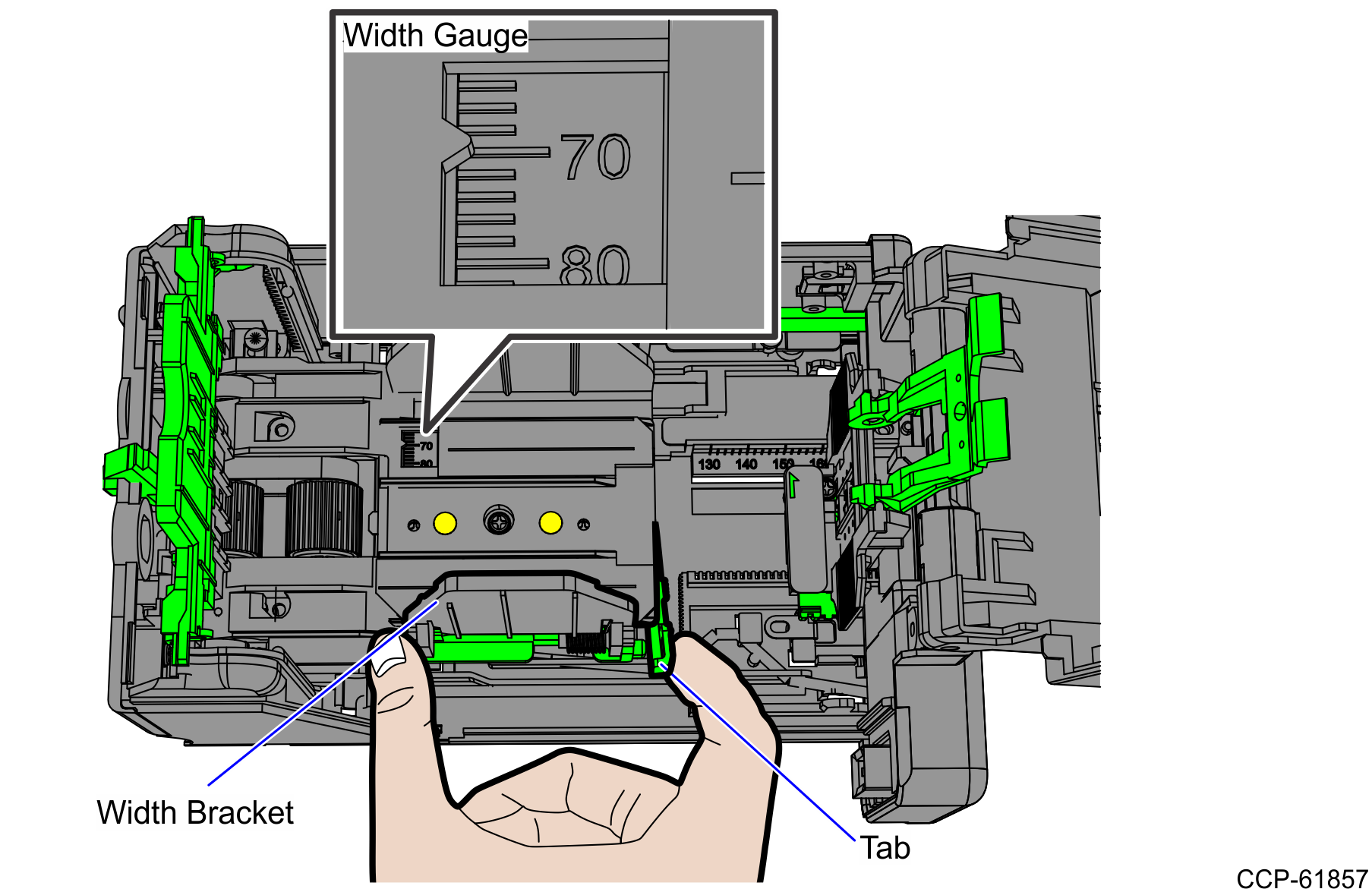
Set the Note Length
- Using the table above, determine the length setting of note denomination that will be loaded in the cassette.
- Push the green tab on the right side of the length bracket and slide the bracket so that the pointer aligns with the length setting value for the corresponding note denomination.
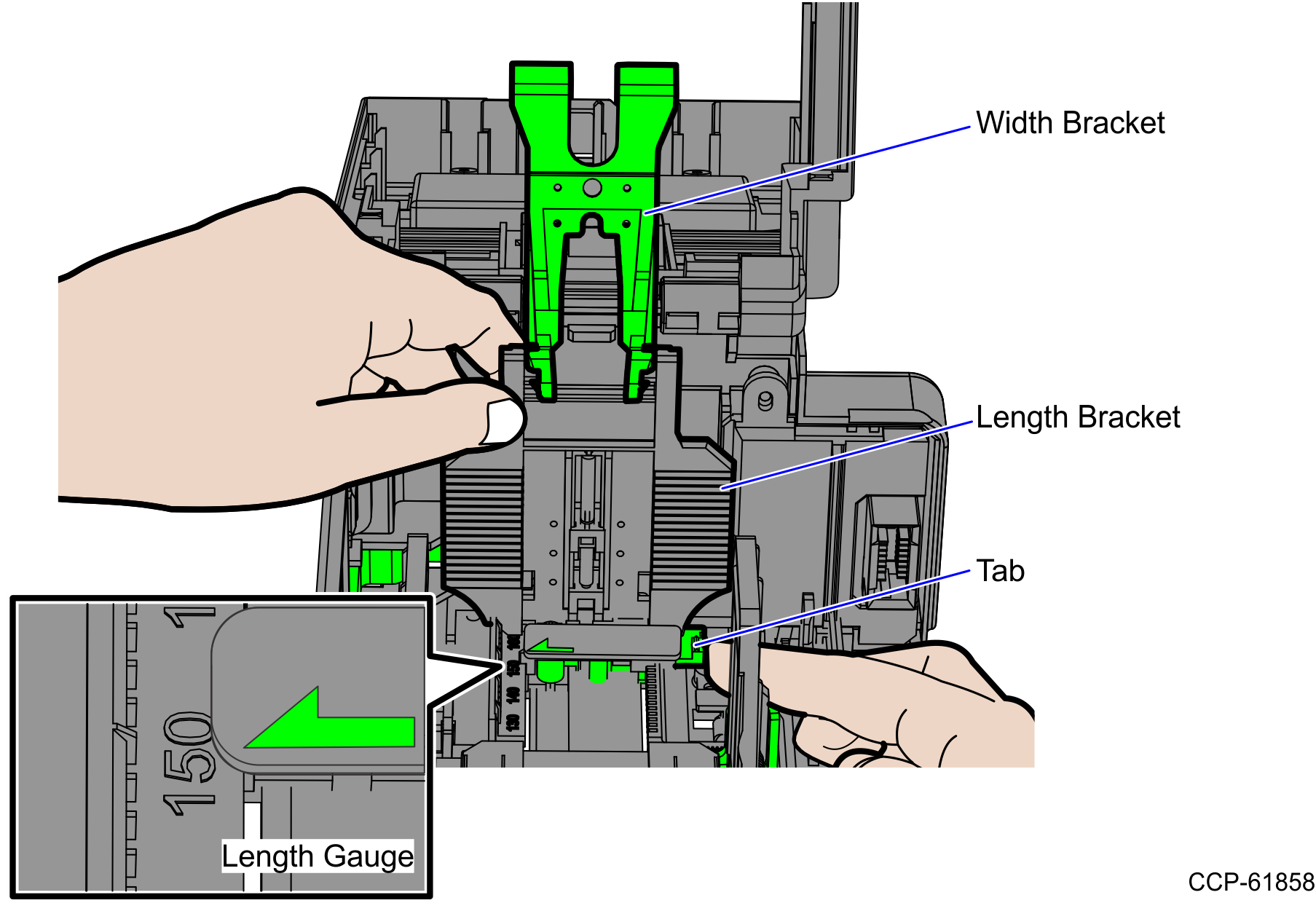
- Insert the note denomination and verify that it fits in the cassette.