Removing the 7895 Scanner/Scale from R65 Card Only
To remove the 7895 Scanner/Scale from the R65 Card Only unit, follow these steps:
- Lift the Scanner Shroud to unhook from four (4) studs on the Tower Cabinet, as shown in the image below.
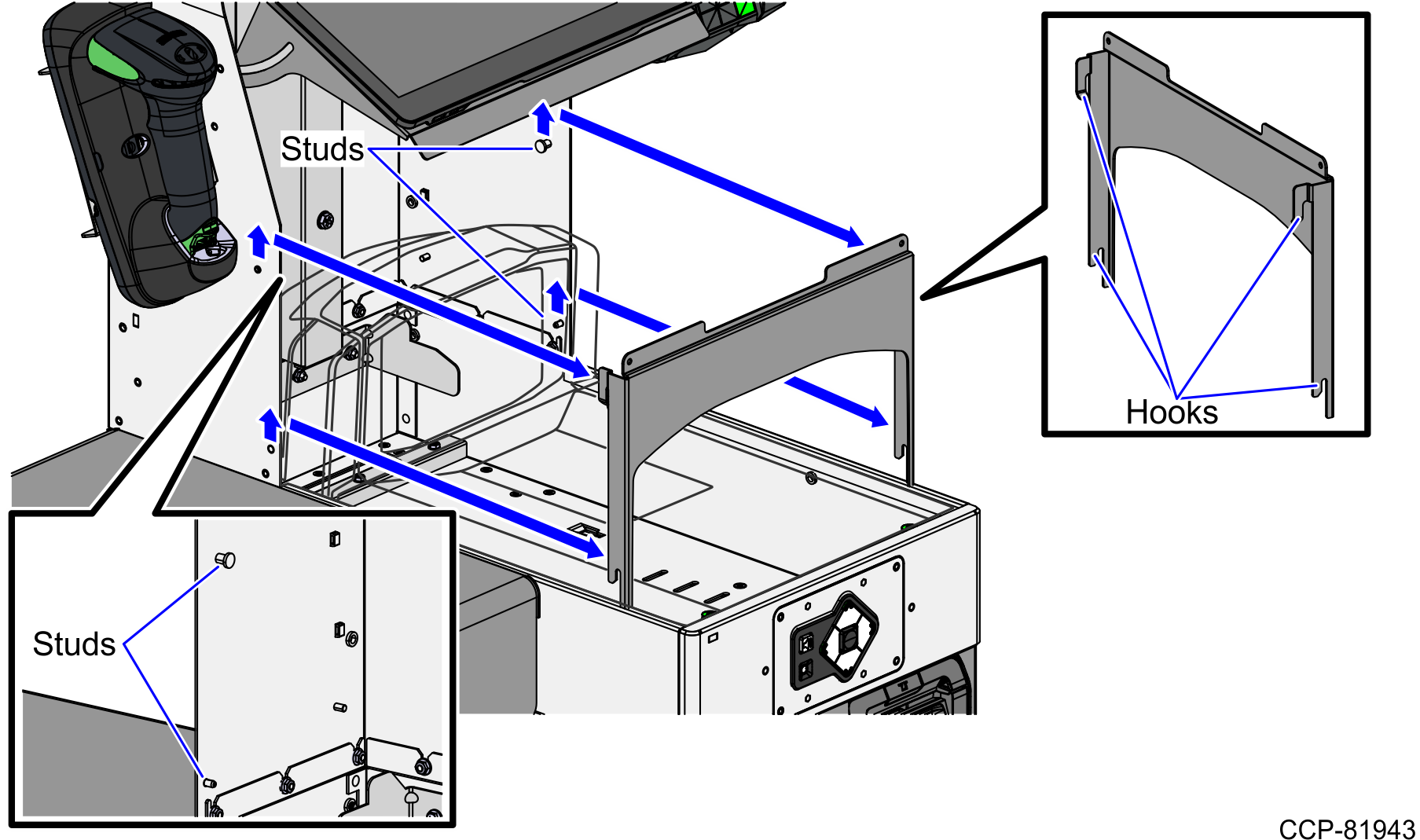
- Remove the Scanner/Scale Top Plate by doing the following:
- Slightly lift up the front edge of the Top Plate and slide the Top Plate forward until its hooks are released from the positioning tabs on the scale.
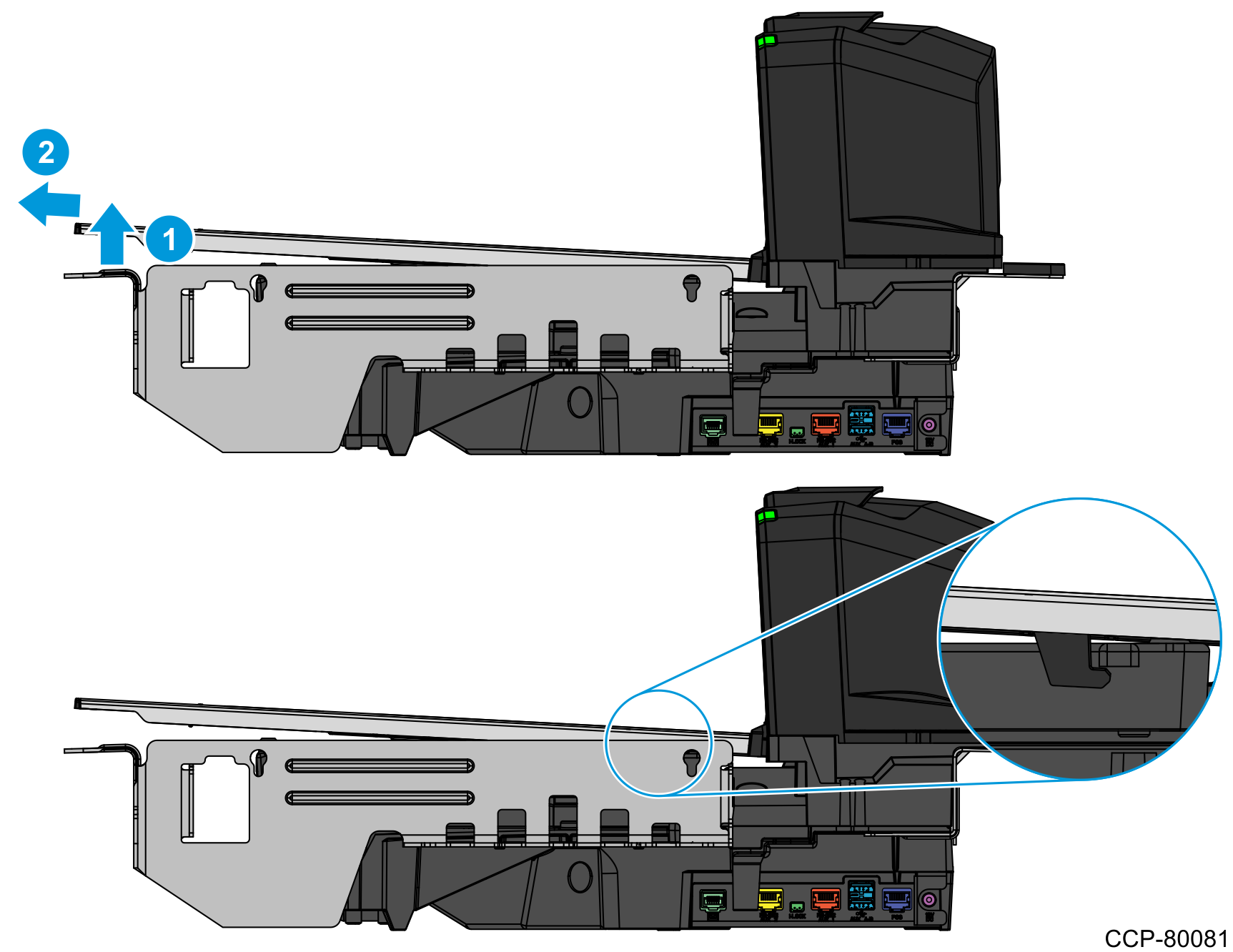
- Hold the front edge and the top of the Top Plate to pull lift it off the Scanner/Scale.
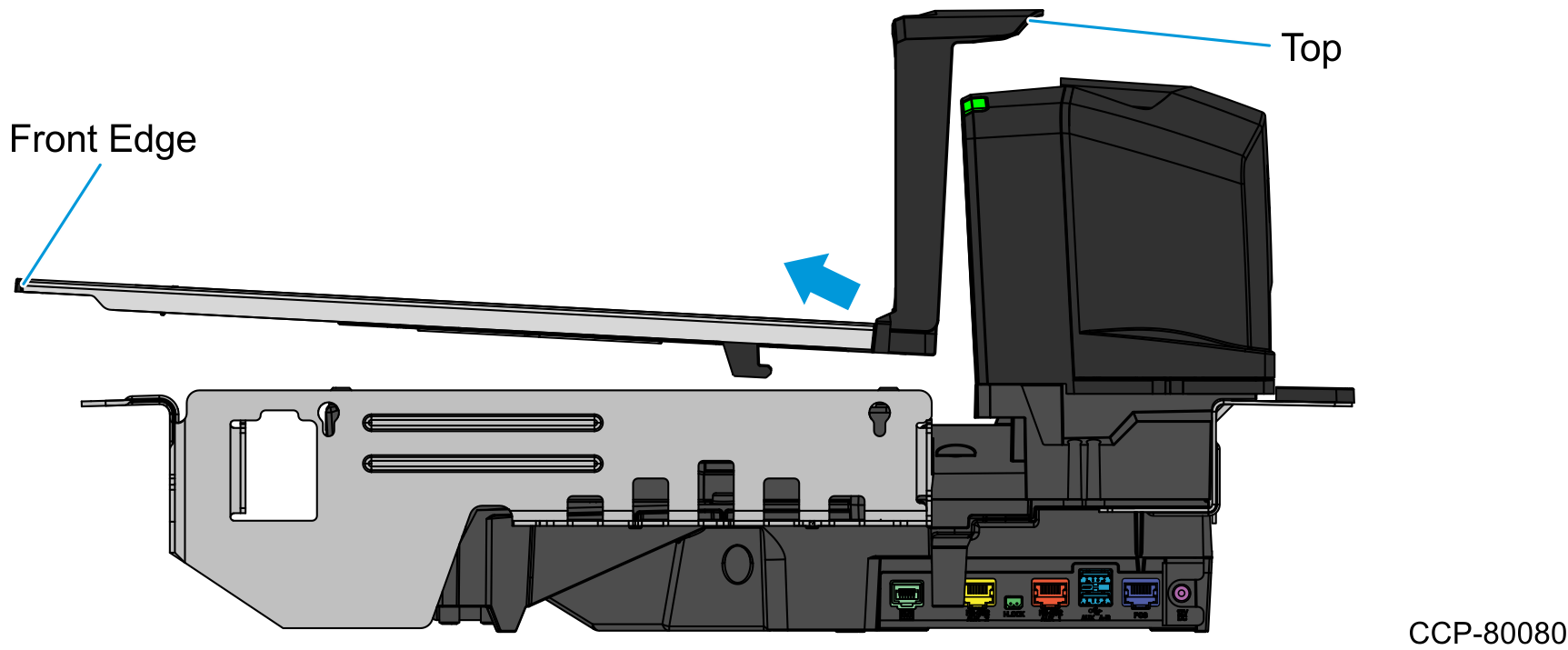
- Slightly lift up the front edge of the Top Plate and slide the Top Plate forward until its hooks are released from the positioning tabs on the scale.
- Place the Scanner/Scale into the scanner bucket by doing the following:
- Hold the support handles on the front and back of the Scanner/Scale.
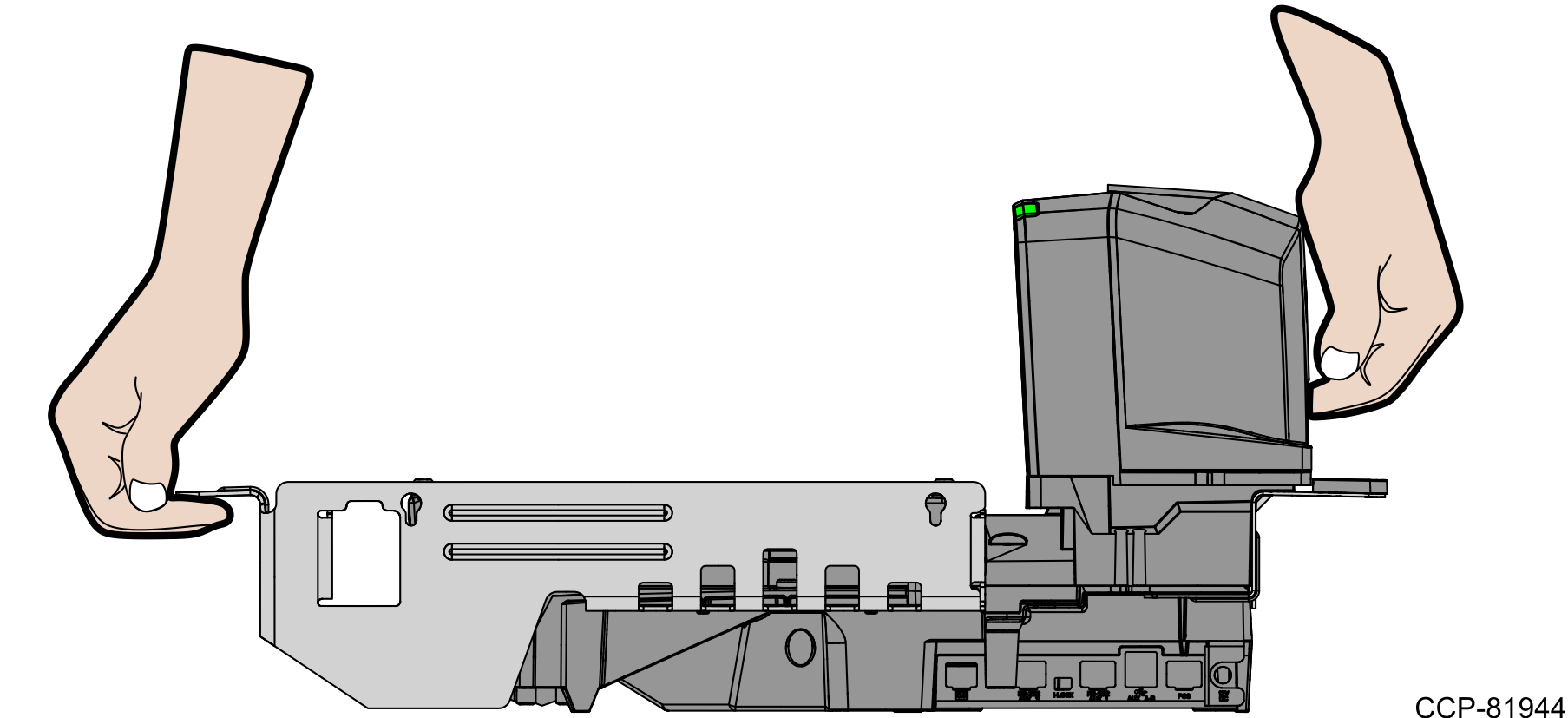
- Slightly tilt the Scanner/Scale to lift it out of the scanner bucket, as shown in the image below.
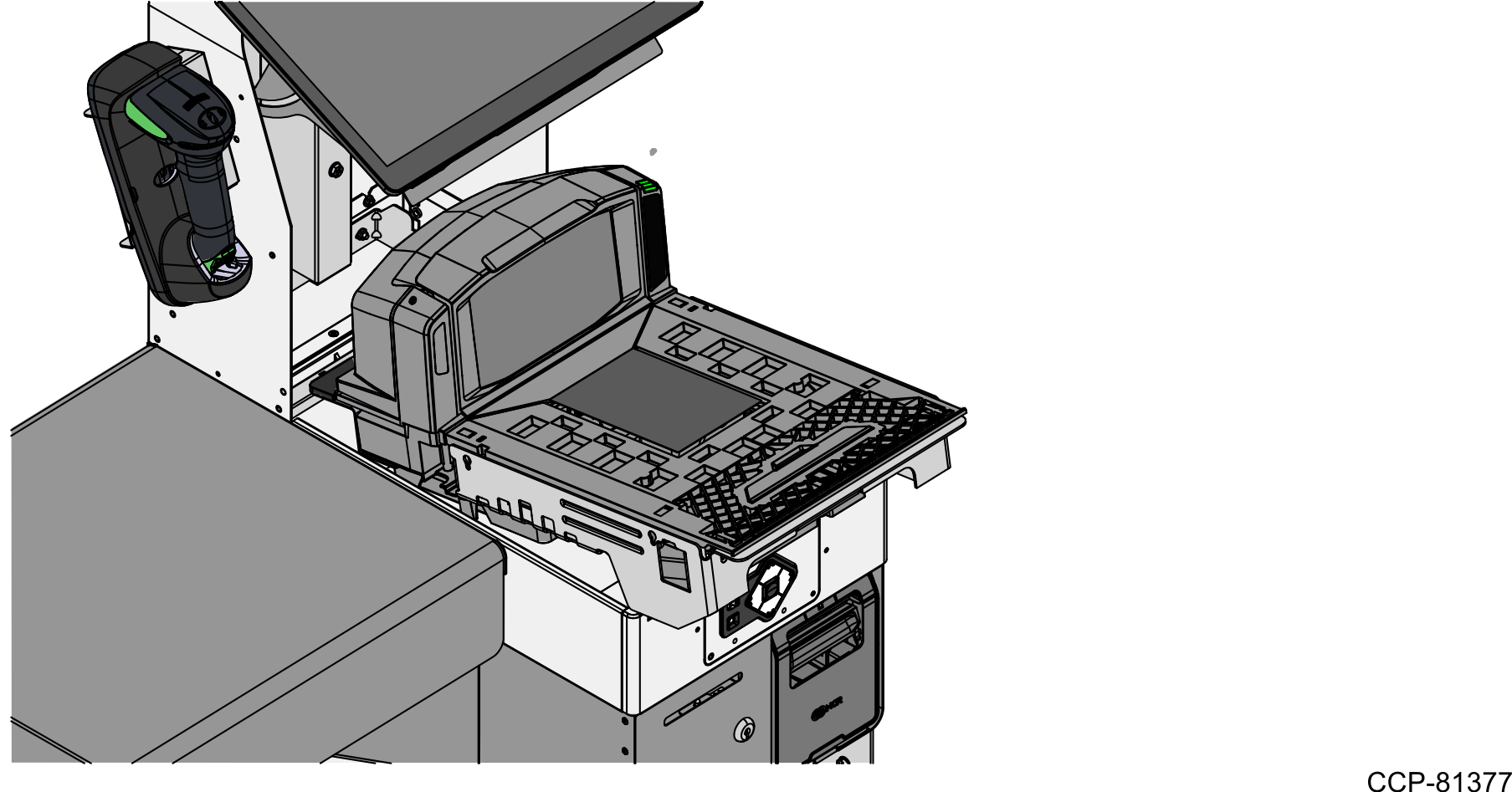
- Hold the support handles on the front and back of the Scanner/Scale.
- Disconnect cables from the Scanner/Scale.Note
If removing a Scanner/Scale with Sensormatic features, remove the Sensormatic Interface cable.
TipMark all cables as to where they are connected to quickly determine the corresponding port when reconnecting the cables.