Installing 7879e Scanner/Scale
To install the 7879e Scanner/Scale, follow these steps:
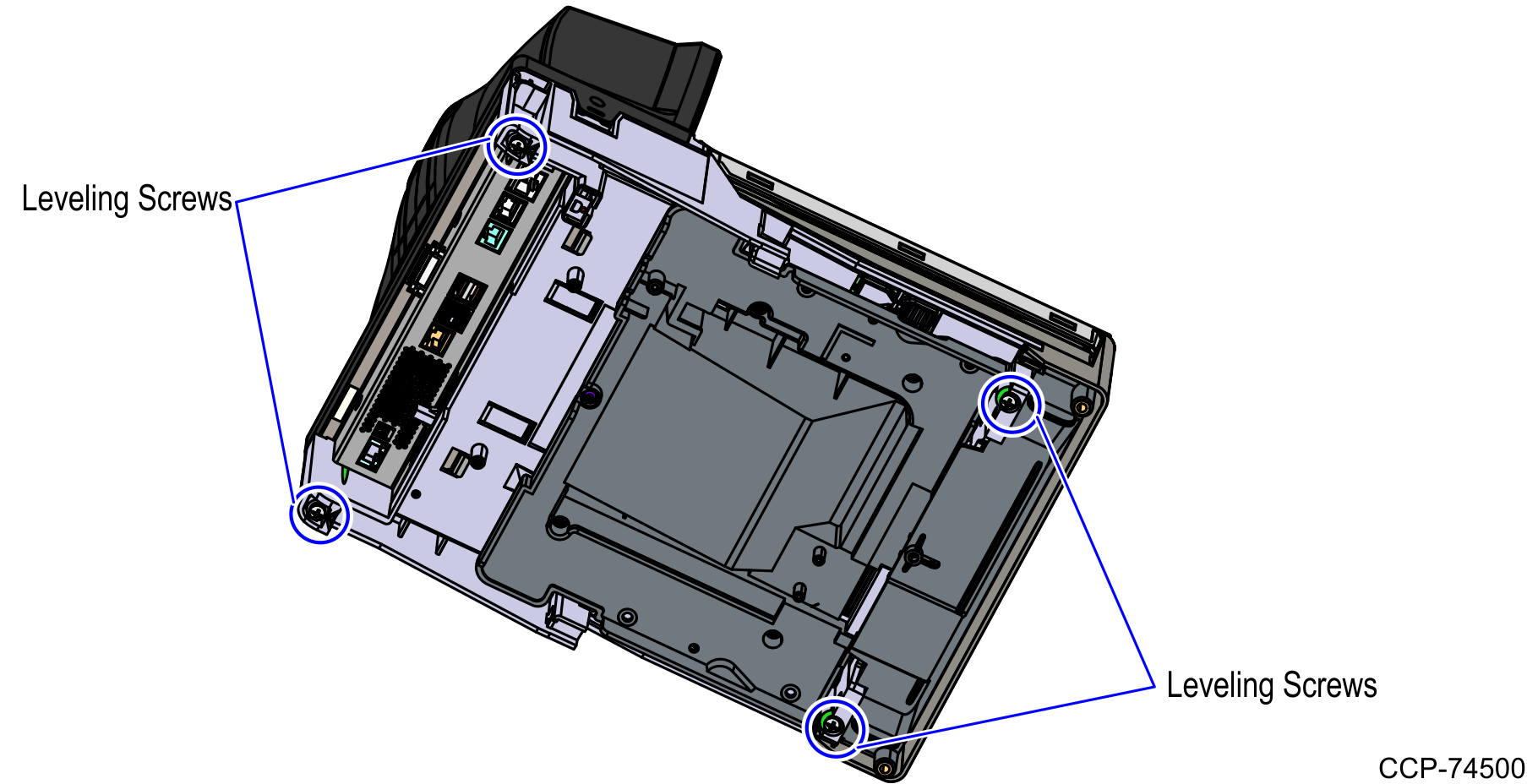
- Ensure that the Scanner/Scale is leveled by adjusting four leveling screws located on the bottom of the unit.
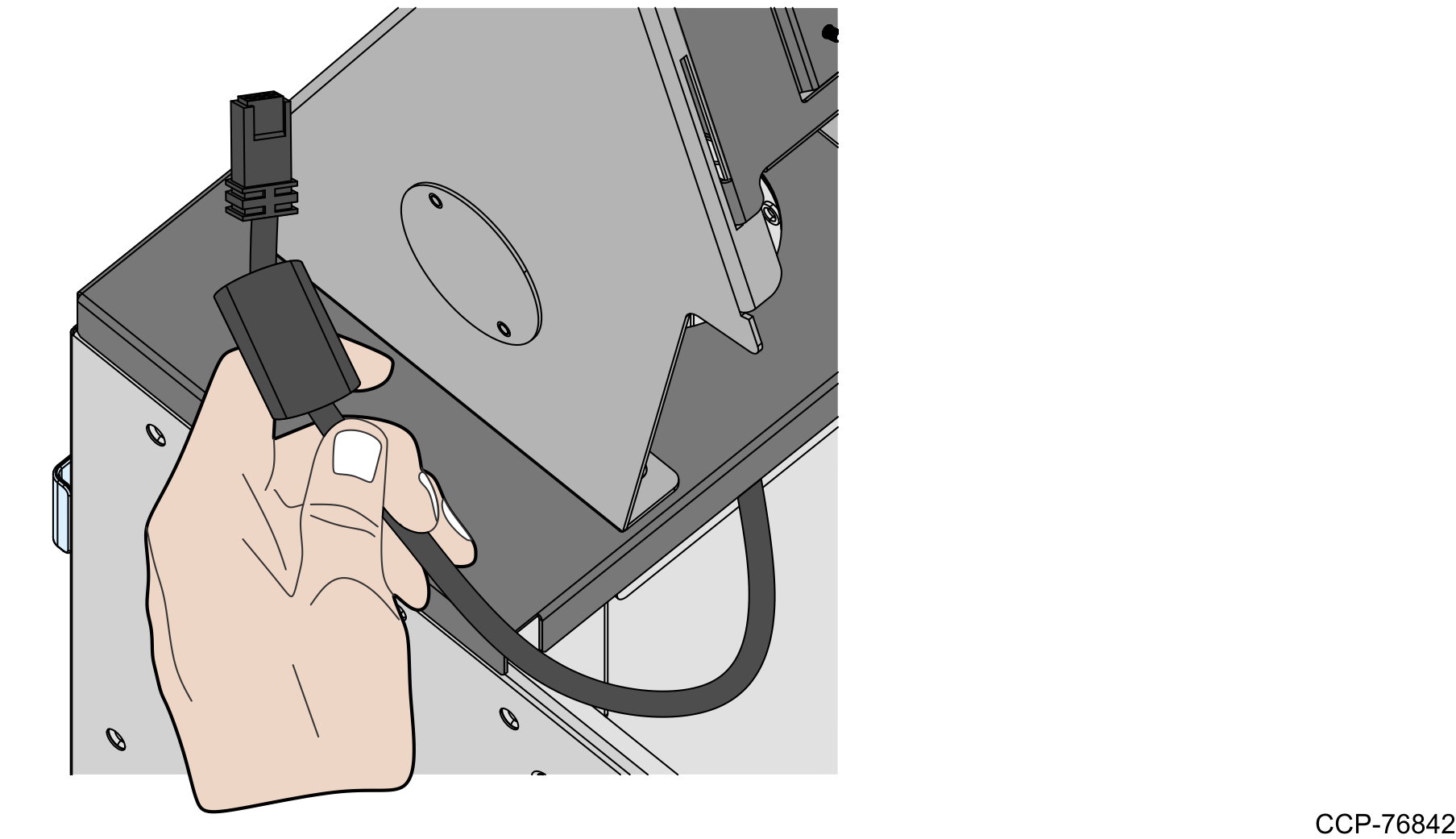
- Ensure that a ferrite bead is clamped on the Power cable as close to the Scanner/Scale as possible.
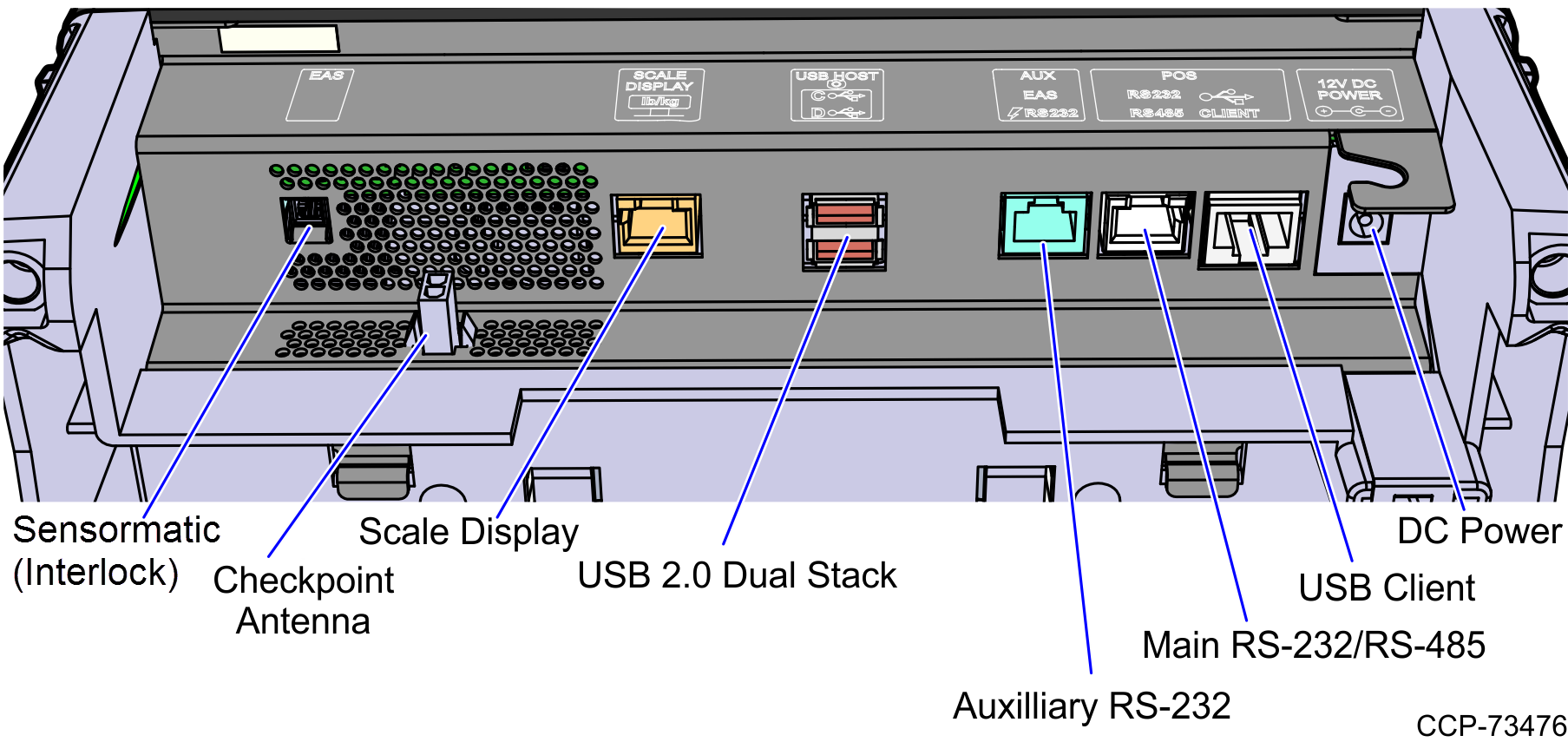
- Connect the scanner cable to the USB Client port on the RealScan 79e (7879e).
 Note
NoteTo streamline the installation procedure, install the Sensormatic® components before installing the Scanner/Scale in the SelfServ Checkout unit.
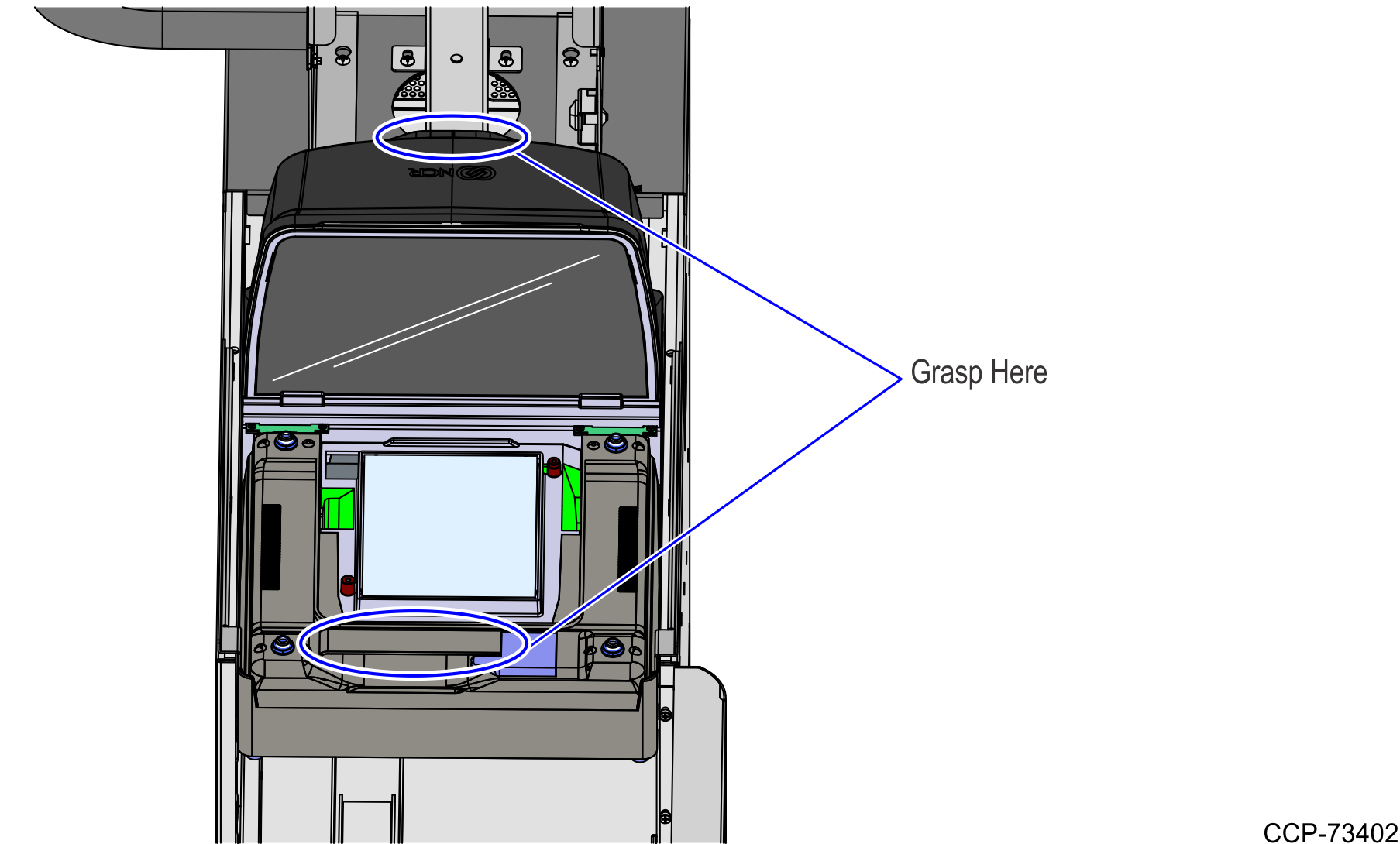
- Place the Scanner/Scale on the scanner bucket.
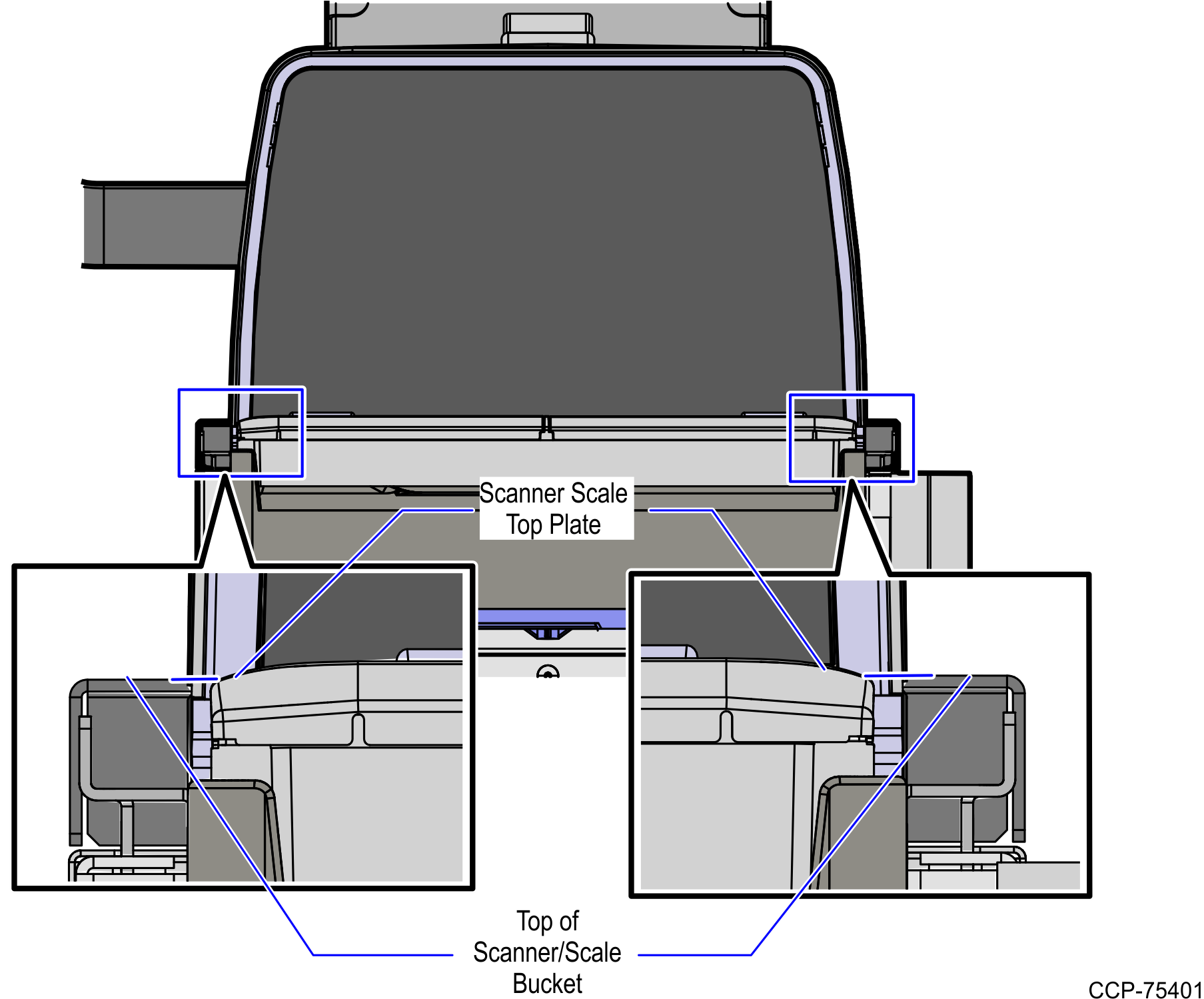
- Verify that the Scanner/Scale Top Plate is correctly aligned with the top of the Scanner/Scale bucket. The sides of the Top Plate must not be hight than the top surface of the SelfServ Checkout unit.Note
If necessary, remove the Scanner/Scale from the unit and adjust the leveling feet.
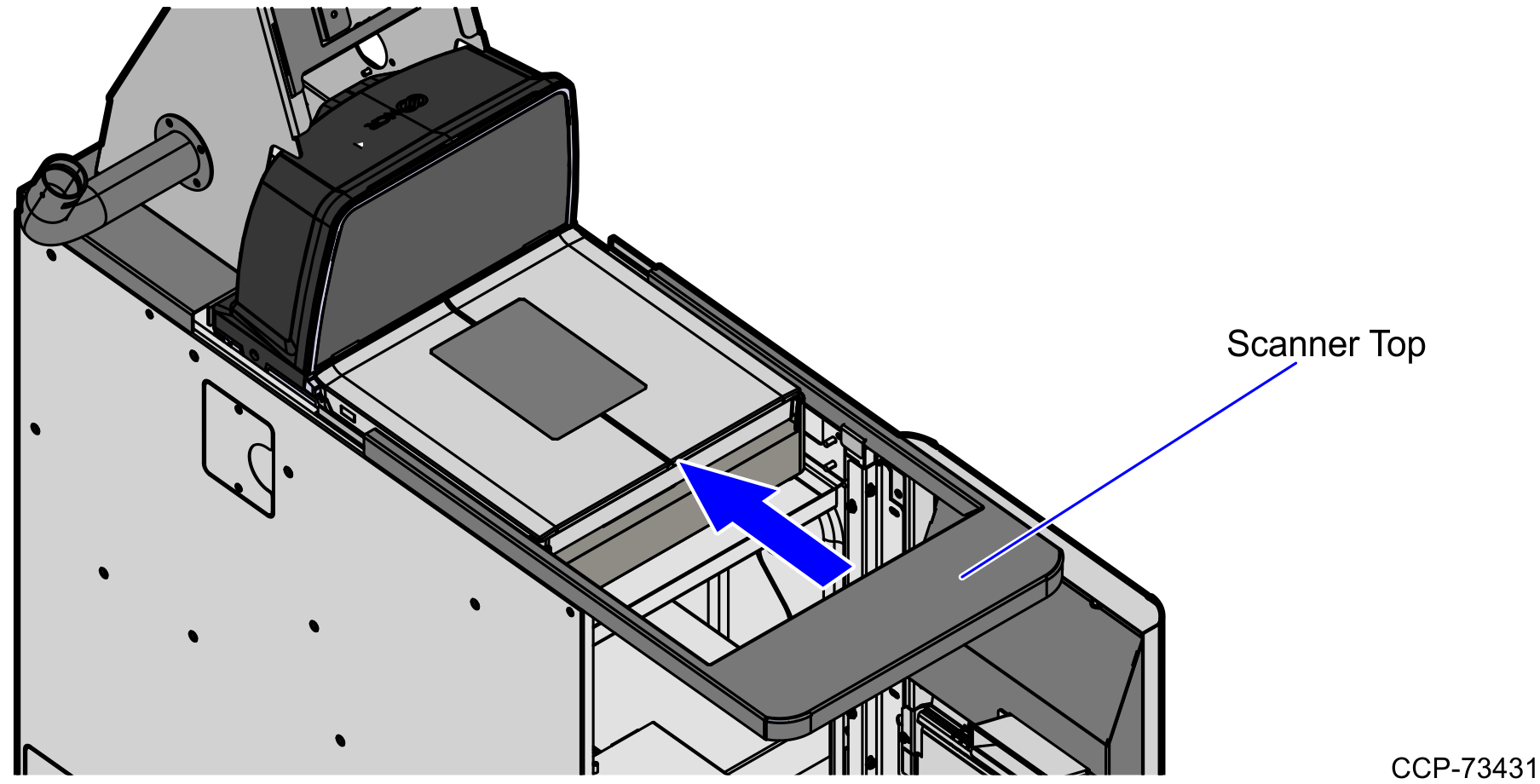
- Slide the Scanner top toward the scanner.
 Note
NoteThe Scanner/Scale must be calibrated before the system goes live. For more information, refer to NCR RealScan™ 79 (7879) User Guide (B005–0000–2299).