Installing Ingenico ISC250 PIN Pad Mount on 7346 Unit
To install the Ingenico ISC250 PIN Pad Mount in an NCR FastLane SelfServ™ Checkout (7346) unit, follow these steps:
Note: For more information about servicing the NCR FastLane SelfServ™ Checkout (7346) unit, refer to NCR FastLane SelfServ™ Checkout (7346) Hardware Service Guide (B005-0000-1705).
1.Turn off the NCR SelfServ Checkout software and hardware systems.
2.Open the Payment Module Door by doing the following:
a.Insert key into lock on door handle and turn key to the right.
b.Lift and turn the handle counterclockwise.
c.Lift the Payment Module Door open.
3.Remove the four (4) wing nuts securing the No PIN Pad Blanking Plate to the Payment Module Door.
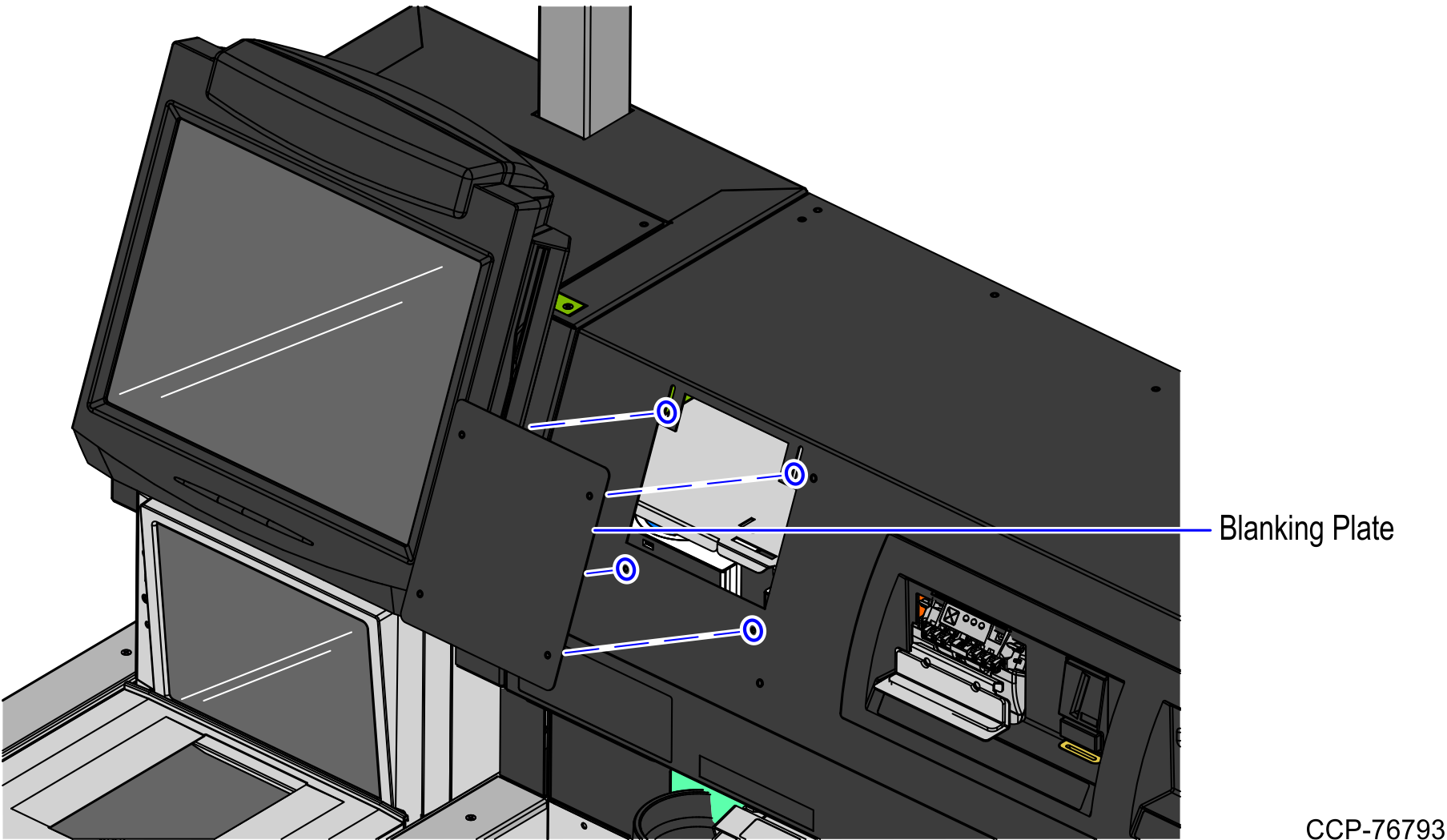
4.Align the PIN Pad Mount to the PIN Pad slot on the Payment Module Door and then secure using four (4) wing nuts, as shown in the image below.
Note: Ensure that the orientation of the PIN Pad mount is the same with the image shown below.
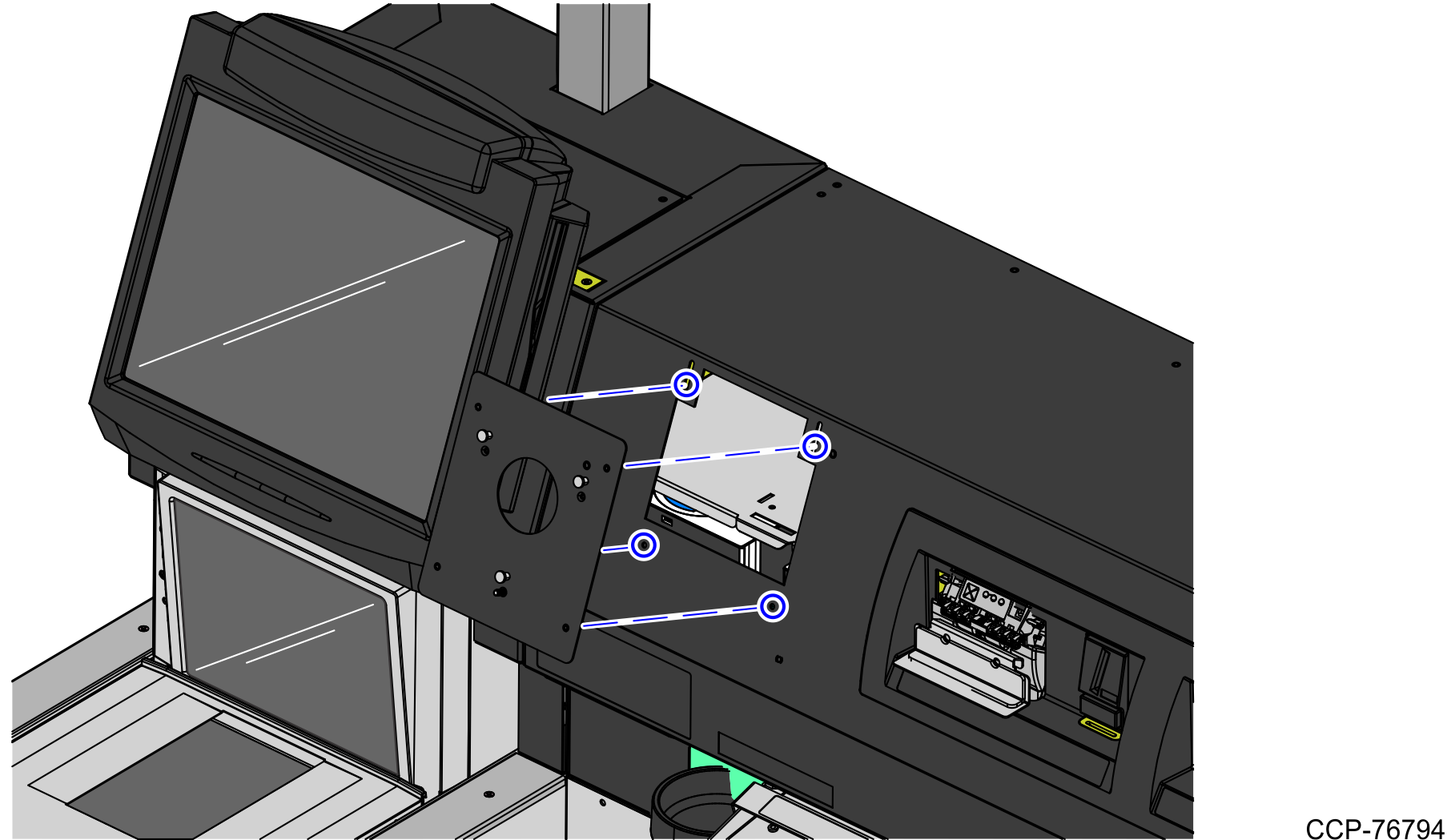
5.Install the PIN Pad on the PIN Pad Mount. For more information about installing a PIN Pad device in an NCR FastLane SelfServ™ Checkout (7346) unit, refer to NCR FastLane SelfServ™ Checkout (7346) Hardware Service Guide (B005-0000-1705).
Note: The Ingenico ISC250 PIN Pad is not included in the 7350-K421 PIN Pad Mount Kit. For more information, contact and NCR Customer Service Representative.
6.Close and lock the Payment Module Door.
